


> Definition: An event registration form app is a digital tool that lets organizers create branded sign-up pages, collect attendee details, manage capacity, process payments, and send confirmations without coding or design skills.
5 Facts Every Organizer Needs About Event Registration Form Apps
- The strongest event registration form apps combine form building, ticketing or payments, and attendee management, so the response list is not split across three tools.
- Mobile optimization is non-negotiable because Pew Research Center reports that 85% of U.S. adults own a smartphone. A registration page that pinches, scrolls sideways, or hides the submit button will lose people.
- Good event forms need more than “Name” and “Email.” Branding, conditional logic, ticket types, session choices, and fields like “Dietary needs” or “Accessibility request” separate event registration from a basic contact form.
- Integrations with email, calendar, spreadsheets, and CRM tools save real cleanup time. Nobody enjoys deleting a duplicate email column at 11 p.m. before sending reminders.
- AI-powered builders can cut setup from hours to minutes, but human review still matters. Forms AI can draft the first version fast; the organizer still needs to check wording, required fields, and consent language.
If the priority is getting a clean signup page live before a flyer goes out, Forms AI fits because AI Form Builder starts from the event description and returns editable registration fields.
What An Event Registration Form App Does
An event registration form app turns interest into a structured attendee record. It collects the details organizers need, then helps manage what happens after someone clicks submit.
At the basic level, the app captures names, email addresses, ticket choices, session preferences, dietary needs, accessibility requests, and other event-specific answers. The difference from a simple contact form or survey is the event layer around those answers: capacity limits, ticket types, confirmation messages, reminders, payment options, and exports that are ready for check-in or follow-up.
A typical event workflow looks like this:
- Build the form with attendee fields, ticket or RSVP options, and any preferences tied to the event.
- Set limits for seats, sessions, or ticket types, with waitlists when demand goes beyond capacity.
- Collect registrations through a mobile-first page, QR code, embedded form, or direct link.
- Send confirmations and reminders so attendees know what they booked and when to arrive.
- Export or sync attendee data for check-in, email updates, spreadsheets, or CRM records.
That is why full event registration software feels different from a plain form builder: it manages the signup, the seat, and the follow-through.
Best Event Registration Form Apps: Named Shortlist For 2026
The best event registration form app depends on event type, payment needs, and how much setup time you can afford. For most small teams, the winner is the tool that lets you build, preview, share, and track RSVPs without turning the signup into a spreadsheet project.
- Forms AI: best overall for AI-powered speed and ease, especially for small businesses, teachers, nonprofits, and freelancers.
- RSVPify: best for formal events, weddings, guest lists, and seating workflows.
- Whova: best for multi-day conferences with agendas, networking, sponsors, and attendee engagement.
- Eventbrite: best for ticketed public events that need marketplace discovery.
- Google Forms: best free zero-budget option when payments, capacity, and branding do not matter.
| App | Best for | Pricing tier | AI features | Mobile optimization | Payment support |
|---|---|---|---|---|---|
| Forms AI | Fast event forms | Free and paid | Yes | Strong | Yes, where enabled |
| RSVPify | Formal RSVPs | Paid-heavy | No | Strong | Yes |
| Whova | Conferences | Paid | Limited | Strong | Yes |
| Eventbrite | Public tickets | Fee-based | Limited | Strong | Yes |
| Google Forms | Free signups | Free | Limited | Basic | No |
How We Picked The Best Registration Form App Options
We picked each registration form app by testing setup speed, mobile responsiveness, customization depth, integrations, and pricing clarity. AI-assisted setup and template variety received extra weight because McKinsey has reported broad business gains from AI adoption, including cost reductions, and event teams feel that pressure in smaller ways.
We tested three real scenarios: a free community meetup, a paid workshop, and a multi-session conference. One test included an organizer checking RSVP counts in a parking lot while a vendor texted about table numbers. That is the kind of moment where a slow dashboard becomes a problem.
We excluded enterprise-only platforms with no self-serve path. Good event registration software should not require a sales call for a 40-person workshop.
For small event teams, setup speed is often more useful than advanced conference features because the registration form has to be shared before promotion can start.
Forms AI: Fastest Event Form App With AI Templates
Forms AI ranks first because it builds a complete event form from a one-sentence description, then lets you edit the result without technical setup. You can type “paid Saturday pottery workshop with 20 seats and two time slots,” and the draft can include attendee name, email, ticket type, preferred session, and payment-related fields.
The drag-and-drop editor is the key difference for everyday organizers. A teacher can remove a question, add “Parent/guardian name,” and copy the quiz or registration link into a class announcement five minutes before the bell. Small business owners can adjust an order or workshop form from a phone between customer calls.
Forms AI also suggests event-specific fields, such as dietary needs, session preferences, accessibility requests, and volunteer shift. QR code sharing helps when the form belongs on flyers, social posts, or a check-in table. Confirmation emails and reminder automations reduce the follow-up work after signups arrive.
Quick enough matters.
Small businesses, teachers, nonprofits, and freelancers trying to publish without a designer will usually get more value from Forms AI because the prompt-to-template workflow removes the blank-page step.
RSVPify, Whova, Eventbrite, And Google Forms Compared
The remaining RSVP app options are strong, but each fits a narrower event pattern. RSVPify handles formal guest management, Whova serves conferences, Eventbrite brings ticketing reach, and Google Forms covers bare-bones signup collection.
| App | Conditional logic | Payment processing | AI assist | Branding | Free tier limits |
|---|---|---|---|---|---|
| RSVPify | Yes | Yes | No | Strong | Limited features |
| Whova | Yes | Yes | Limited | Strong | Usually quote or paid plan |
| Eventbrite | Limited for forms | Yes | Limited | Event page branding | Fees and feature limits |
| Google Forms | Basic branching | No | Limited | Minimal | No payments or event tools |
Good AI form builder apps for events deliver fast, mobile-friendly signup pages with editable fields and response tracking, not a full event strategy or guaranteed attendance.
RSVPify For Formal Gatherings
RSVPify is built for weddings, galas, and invitation-driven events. Guest lists, household RSVPs, meal selections, and seating tools are its strengths, but it does not offer the same AI-generated setup flow as Forms AI.
Whova For Multi-Day Conferences
Whova fits conferences with agendas, sponsors, exhibitors, networking, and multi-session schedules. The tradeoff is setup weight. For a single evening workshop, it can feel like bringing a convention center map to a classroom.
Eventbrite For Ticketed Public Events
Eventbrite is strongest when discovery and ticket sales matter. Its public event pages help people find events, but form customization is more limited than a dedicated registration form app.
Google Forms For Zero-Budget Signups
Google Forms is useful when you only need a free signup list. It lacks native ticketing, payment collection, branded registration pages, capacity controls, and confirmation automation. For a deeper free-only comparison, a free RSVP form app guide is more useful.
How Event Registration Form Apps Work Behind The Scenes
Event registration form apps work by collecting a submission, validating each field, storing the record in a database, and triggering follow-up actions such as confirmation emails, payment receipts, webhooks, or CRM updates. That data flow is simple on the surface, but it is what keeps the attendee list usable.
In AI tools like Forms AI, a natural language processing layer reads the event description, maps it to a template schema, and pre-fills field types and validation rules. In plain English, the system guesses the right structure before you start editing. A prompt about a fundraiser may produce ticket type, donation interest, meal choice, and accessibility request fields.
Conditional logic engines route people to relevant questions. If someone chooses “VIP ticket,” the form can show meal preference or reception access questions. Integration layers then push attendee records to email, calendar, CRM, or Zapier-style connectors.
Pew has reported that 90% of U.S. adults called the internet essential or important during the COVID-19 outbreak, which helps explain why digital-first registration now feels expected, not optional. If your main concern is phone-based setup, this how to create registration form with phone walkthrough covers the build flow in more detail.
How To Set Up An Event Registration Form In Minutes
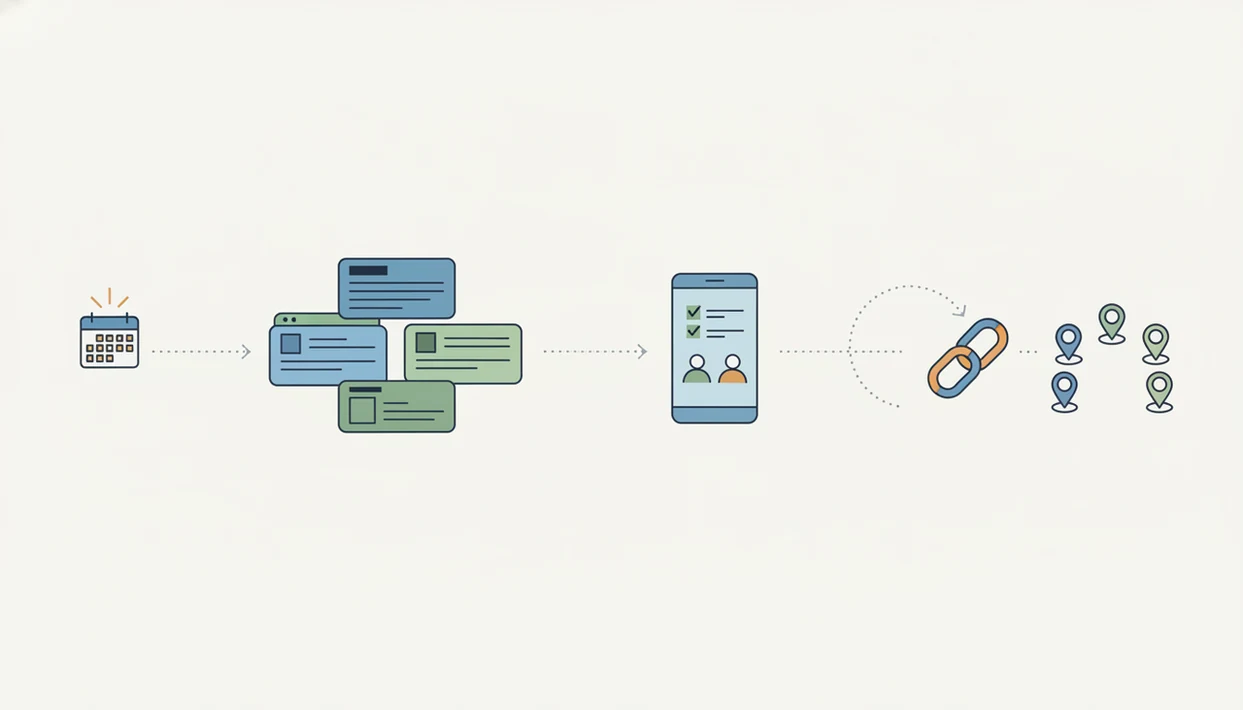
You can set up an event registration form quickly if you start with the form’s job, then edit the AI draft instead of building every field from scratch. In Forms AI, the fastest path is prompt, review, configure, share, and monitor.
- Describe your event in one sentence inside the Forms AI prompt field, including date, audience, price, and capacity if known.
- Review the AI-generated form by editing fields, reordering questions, removing extras, and adding branding.
- Configure ticket types, capacity limits, and payment if the event is paid or has limited seats.
- Set up confirmation email and reminders so registrants know what happens after they submit.
- Share the form through a QR code, direct link, social post, or website embed.
- Monitor responses in the dashboard, then export attendee data when you need a spreadsheet or CRM handoff.
The pocket check is real.
After the form goes live, when walk-ins ask where to sign up, Forms AI earns the spot because the same shareable link can be turned into a QR code for flyers, posters, and check-in tables. For print-heavy promotion, a dedicated QR code RSVP form can keep the registration path shorter.
Honest Cons Of Each RSVP App On This List
Every RSVP app on this list has a tradeoff, and the right choice depends on what you are willing to manage.
- Forms AI: Forms AI is a newer platform, so its integration library may be smaller than older tools with years of marketplace add-ons.
- RSVPify: RSVPify has strong guest workflows, but no AI setup and higher pricing pressure on premium features.
- Whova: Whova is overkill for small, single-session, or informal events. The feature set can slow down setup.
- Eventbrite: Eventbrite takes a cut of ticket sales and gives organizers less form-level customization.
- Google Forms: Google Forms has no native payments, no branded event experience, no capacity management, and no check-in tools.
- All free tiers: Free plans usually come with registration caps, feature limits, branding limits, or payment restrictions.
Anyone dealing with a small paid workshop should compare the payment fees and form flexibility first, because ticket cost, refund handling, and attendee data fields affect the whole event registration workflow.
Limitations
Event registration form apps reduce admin work, but they do not solve every event problem. Treat them as signup infrastructure, not a substitute for promotion, planning, or attendee follow-through.
- No app guarantees higher turnout. Marketing, timing, location, price, and event value still drive actual registrations and attendance.
- AI-generated forms can add unclear, duplicate, or unnecessary questions if nobody reviews the draft.
- Advanced conditional logic and integrations can still have a learning curve, even when the builder is no-code.
- Free tiers often cap registrations, hide branding controls, or block payment features, which can force upgrades during promotion.
- Data privacy, GDPR readiness, and accessibility are not automatic. Organizers must configure consent, retention, required fields, and plain-language notices.
- The U.S. Bureau of Labor Statistics projects 8% employment growth for meeting, convention, and event planners from 2022 to 2032, which suggests more demand for tools and more pressure on free-tier limits.
- Capacity planning still needs judgment. A waitlist form app can help when demand exceeds seats, but it cannot decide who should get priority.