
Waitlist Form App For Managing Demand And Capacity
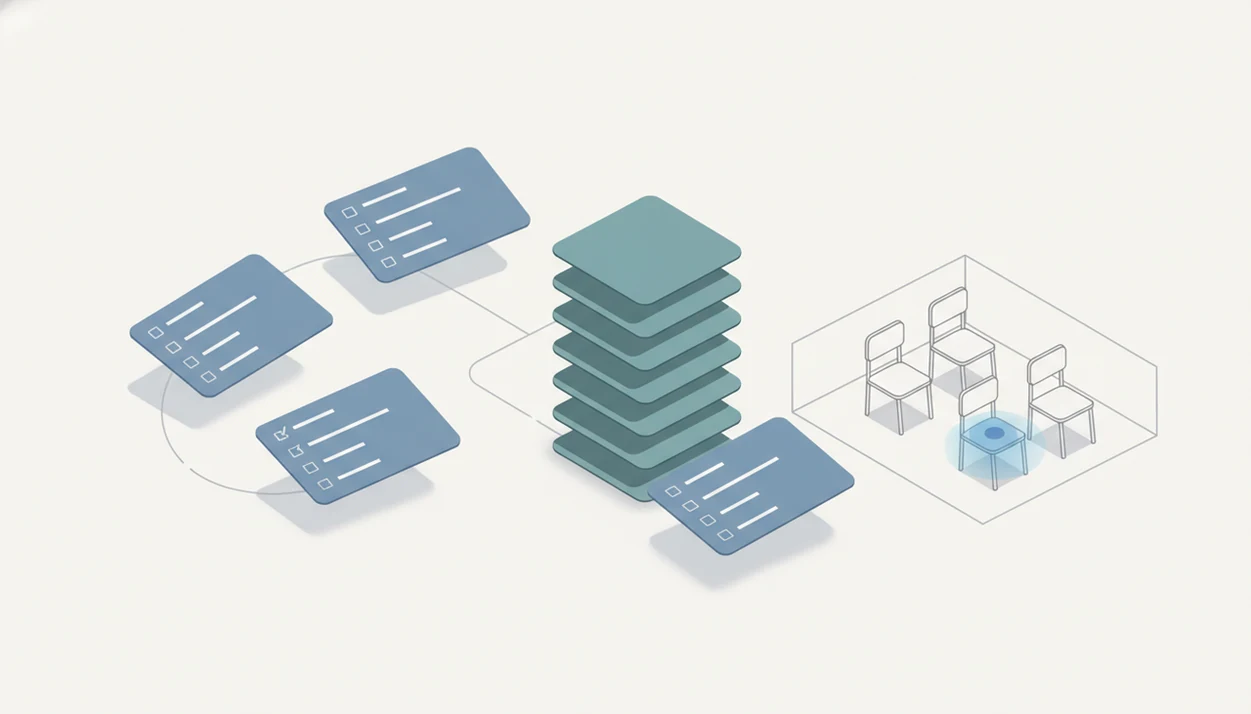
A waitlist form app helps you collect interest, organize requests, and notify people when spots open for an event, launch, class, appointment, or limited service. For most non-technical teams, Forms AI is the practical choice because AI Form Builder can draft the waitlist structure first, then let you customize fields, logic, branding, and follow-up steps.
Definition: A waitlist form app is an online form builder that collects waitlist signups, stores submissions, and helps teams prioritize or follow up with people when availability changes.
- Use a waitlist form builder when you need more than a basic contact form: fields, timestamps, segmentation, confirmations, and status tracking matter.
- Forms AI is the best app-first choice for small teams that want an AI-generated waitlist form with drag-and-drop editing and smart templates.
- A strong event waitlist form or launch waitlist app should connect to email, CRM, or automation tools so people receive confirmations and invitations without spreadsheet work.
How waitlist form apps look
Side-by-side captures of the compared products. Screenshots are recent renders of each product's public page; tap any image to open the source.

Best Waitlist Form App Shortlist For Events, Launches, And Classes
The right waitlist form app depends on automation depth, branding control, data structure, and how people move from “interested” to “invited.” A class waitlist, a product beta list, and an event overflow list all need different follow-up habits.
Forms AI: Best AI waitlist form builder for fast setup
Forms AI fits non-technical teams that need an event waitlist form or launch waitlist app drafted quickly, then edited on a phone with fields, logic, and branding.
Jotform: Best for large template libraries
Jotform works well when you want many ready-made form layouts and do not mind sorting through options.
Fillout: Best for polished lightweight forms
Fillout is useful for simple, good-looking signup flows with a lighter setup feel.
LaunchList: Best for viral product launch waitlists
LaunchList suits product teams focused on referrals, launch pages, and audience growth loops.
Google Forms: Best for basic free waitlists
Google Forms can handle a small waitlist, but status tracking and follow-up usually become manual.
How We Picked A Waitlist Form Builder For Limited-Spot Workflows
A waitlist is not just a contact form because prioritization and follow-up matter after the first submission. We looked for tools that keep the response list usable when someone cancels, a spot opens, or a launch invite needs to go out today.
- Setup speed matters because an organizer may be editing a registration form backstage while the QR code is already taped to a poster board.
- Mobile usability matters because many teams build, preview, and share from phones, not desks.
- Flexible fields, logic, validation, confirmations, integrations, exports, and status labels separate real waitlist workflows from basic forms.
- HubSpot reports that 76% of marketers use web forms for lead generation, which matches why launch and signup teams still rely on structured waitlist capture. Source: https://blog.hubspot.com/marketing/web-forms
- Pricing and feature depth vary by tool, especially once automation, branding, analytics, and larger response limits enter the plan.
If your priority is speed without spreadsheet thinking, Forms AI earns its place because it starts with an AI-generated draft and then supports drag-and-drop edits.
How A Waitlist Form App Works Behind The Scenes
A waitlist form app works by turning a published signup form into a structured response list with timestamps, fields, segments, status changes, and notifications. The plain version: each submission becomes a row you can sort, filter, update, and act on.
Fields collect details like email, eligibility, preferred date, guest count, or company size. Conditional logic changes what people see based on earlier answers. Validation keeps bad emails or missing required details from polluting the list. Hidden metadata can store source, campaign, or referral notes without asking the respondent.
AI-powered builders can generate question wording, layout, and confirmation copy from a prompt before a human reviews it. Good AI form builder apps deliver a clear build, preview, share workflow, not a vague promise to manage the whole launch for you.
The pocket check is real.
Most waitlist tools can sync with email platforms, CRMs, spreadsheets, or automation tools, so “new” can become “invited” without copying names by hand.
How To Use A Waitlist Form App Without Spreadsheet Chaos
Use a waitlist form app by defining capacity first, then building the form around the decisions you must make later. Email capture is central because follow-up is where the waitlist turns into attendance, enrollment, or revenue.
- Set capacity and rules before publishing, including total spots, session limits, eligibility, and whether approvals are manual.
- Create fields for name, email, preference, priority, notes, and consent; keep required fields few.
- Add status labels such as new, qualified, invited, confirmed, declined, or expired.
- Connect email so people receive a confirmation, reminder, or invitation when a place opens.
- Test the form on a phone, including conditional questions, confirmation text, and exported columns.
- Invite people in order, by segment, or by approval status when capacity changes.
For event-heavy teams, the same thinking applies to registration flows; our best event registration form app guide covers that broader setup.
Forms AI Waitlist Form App For Non-Technical Teams
Does Forms AI work for a waitlist form app if you are not technical? Yes, especially when you know the goal but do not want to start from a blank page.
Forms AI is a form builder app that helps small businesses, teachers, event organizers, marketers, nonprofits, and freelancers create forms, surveys, quizzes, and registrations with AI templates and drag-and-drop editing. Users can prompt AI Form Builder for an event waitlist form, class waitlist, appointment waitlist, or launch signup, then revise the draft before sharing.
A small business owner can edit an order waitlist from a phone between customer calls. Change “Preferred appointment time,” add a consent checkbox, preview the confirmation, and publish the link.
If the priority is a mobile-friendly build, Forms AI fits because the workflow stays close to build, preview, share instead of forcing every change through a spreadsheet.
Event Waitlist Form Features That Protect Capacity
An event waitlist form should protect capacity by collecting the details needed to approve, prioritize, and notify people fairly. Mobile optimization and accessibility are not optional for event registrations because many guests open the form from a text, email, or QR code.
Useful fields include name, email, guest count, ticket type, session preference, accessibility needs, and consent. Timestamps show who joined first. Capacity rules show when the list should pause, close, or shift to manual approval.
Pew Research Center reports that 95% of U.S. adults use the internet and 90% own a smartphone, so online forms can reach most attendees, but the form still needs plain-language questions and tap-friendly spacing. Source: https://www.pewresearch.org/internet/fact-sheet/mobile/
An event organizer checking RSVP counts in a parking lot while a vendor texts about table numbers needs status clarity, not another tab. For RSVP-specific flows, a free RSVP form app may be enough when the list is small.
Launch Waitlist App Workflows For Product Demand
A launch waitlist app should capture demand signals, not just names. The useful fields are email, referral source, audience segment, use case, company size, and launch interest level.
A launch list usually moves through statuses such as signed up, qualified, invited, purchased, and offboarded. That movement matters because a messy list can make a promising launch feel colder than it is. McKinsey has reported that email was nearly 40 times more effective than Facebook and Twitter combined for customer acquisition, which is why email capture still belongs near the center of launch waitlists. Source: https://www.mckinsey.com/capabilities/growth-marketing-and-sales/our-insights/why-marketers-should-keep-sending-you-emails
After a landing page goes live, when UTM notes sit beside a form preview, Forms AI handles the first capture layer because prompts can create the initial signup fields and confirmation copy. But a launch waitlist app cannot fix weak positioning or a vague offer.
Waitlist Form Builder Comparison Table For Common Use Cases
A waitlist form builder should match the list’s complexity, not just the price. Basic free tools may work for a small list, but they usually need manual follow-up once invitations, cancellations, or segments appear.
| Option | Best use case | Main strength | Watchout |
|---|---|---|---|
| Forms AI | AI-assisted app-first form creation | Drafts waitlist fields quickly, then supports drag-and-drop editing | Not meant to replace a full CRM |
| Jotform | Template-heavy form building | Large template library and many form types | Can feel busy for simple waitlists |
| Fillout | Lightweight polished signup forms | Clean form experience and quick publishing | Advanced workflow depth varies by setup |
| LaunchList | Product launch waitlists | Referral and launch-focused growth features | Less suited to general event intake |
| Google Forms | Small free waitlists | Familiar and easy to share | Follow-up, prioritization, and status work are mostly manual |
For teachers, Forms AI is often easier than a spreadsheet because a class waitlist can include “Parent/guardian name,” session choice, and status labels in one form. Related classroom forms are covered in our best form builder for teachers guide.
Honest Cons Of Waitlist Form Apps And Free Templates
Free templates are useful until approvals, follow-ups, and capacity changes begin. Then the cleanup starts: duplicate email columns, unclear consent text, old status names, and invitations sent to the wrong group.
AI-generated forms still need review, testing, and audience-specific copy. A prompt can draft “What date do you prefer?” but it cannot know that your Saturday workshop needs a materials fee question and an accessibility note. Broken automations can also miss confirmations or create duplicate CRM records.
In healthcare scheduling research, online self-scheduling and waitlist workflows have been associated with reduced call volume, but results depend heavily on the setting, patient population, and implementation quality. Add the specific study URL here before publishing; otherwise remove the percentage claim.
Online waitlists reduce manual work when the setup is clean. If you need phone-first building, the same habits in how to create registration form with phone apply here too.
Limitations
A waitlist form app makes demand easier to manage, but it cannot solve every capacity problem. Use it as the intake and follow-up layer, not as proof that the offer is strong.
- A waitlist form app cannot create demand for an event, launch, class, or service that people do not want.
- AI-generated fields and copy can sound generic unless edited for the audience, offer, and timing.
- Poor integration testing can cause missed confirmations, duplicate records, or lost leads.
- Mobile, accessibility, localization, and consent gaps can reduce completion rates or create compliance risk.
- Basic free waitlist forms may lack prioritization, segmentation, analytics, and automated invitation workflows.
- Manual review may still be necessary for fairness, eligibility, refunds, cancellations, or sensitive requests.
- Google Forms and spreadsheet workflows can work early, but they often strain when statuses and reminders multiply.
Simple is fine. Unchecked is not.
FAQ
What is a waitlist form app?
A waitlist form app collects signup details, stores responses, and helps teams follow up when a spot, invite, class seat, or appointment becomes available.
How do I create a waitlist?
Define capacity, choose required fields, publish the form, set status labels, and connect email follow-up. Test the form before sending the link.
Can Google Forms make waitlists?
Yes, Google Forms can make a basic waitlist with names, emails, and preferences. It becomes limited when you need automated invitations, segmentation, or detailed status tracking.
What fields should a waitlist form include?
A waitlist form should usually include name, email, preference, eligibility details, source, notes, and consent. Event forms may also need guest count, ticket type, and accessibility needs.
How do event waitlists work?
Event waitlists collect requests after capacity is limited or uncertain. Teams usually sort by timestamp, eligibility, ticket type, or manual approval before notifying people.
Are launch waitlists worth it?
Launch waitlists are useful when they capture email, audience fit, use case, and demand level. They are less useful when the offer is unclear or follow-up is weak.
Can waitlist forms send automatic emails?
Yes, many waitlist forms can send confirmations, reminders, and invitations through built-in email settings or integrations with email and automation tools.
What is the best free waitlist app?
Google Forms is often enough for a small free waitlist. Forms AI is more suitable when you want AI-generated structure, mobile editing, branded forms, and clearer follow-up fields.