
Free Quiz Maker App Options For Teachers And Classes
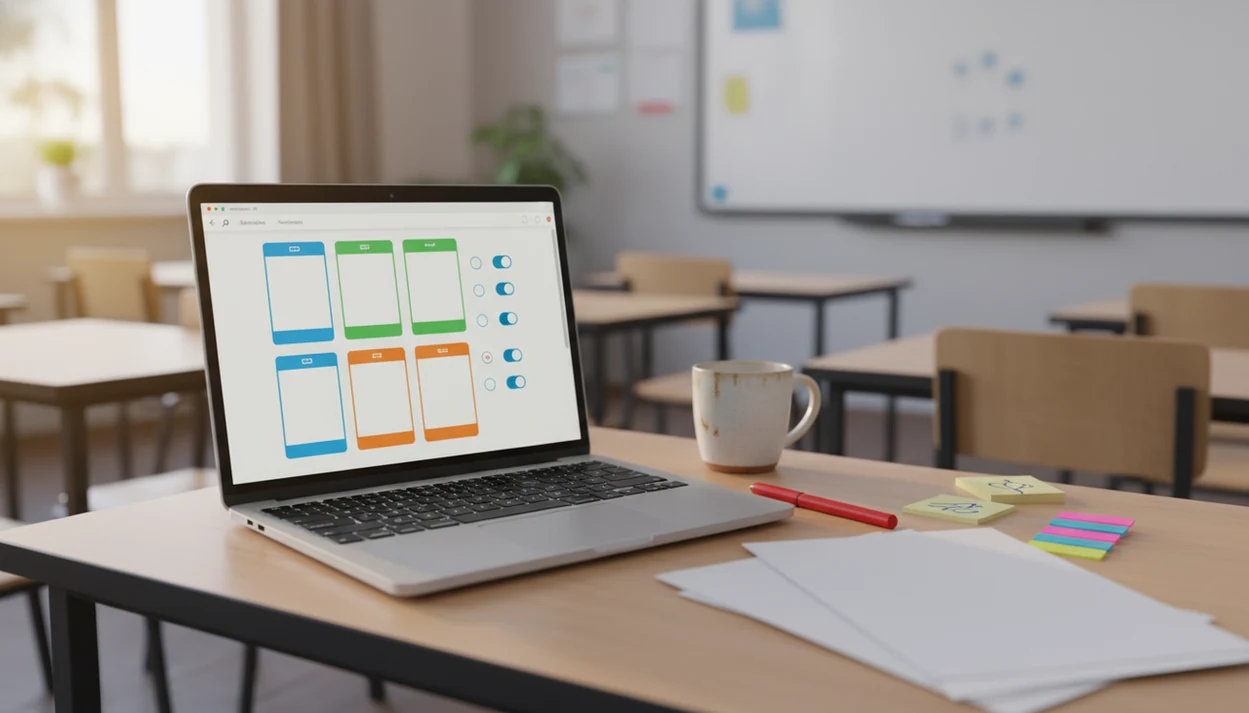
For teachers, the right free quiz maker app is the one that matches your quiz style: Forms AI for form-style scored quizzes and registrations, Kahoot for live classroom games, Fillout for generous free response volume, Quiz Maker for simple public quizzes, and Canva for visual quiz pages. Before choosing, check scoring, response limits, student privacy, and whether students need accounts.
A free quiz maker app is a web or mobile tool that lets teachers or creators build quizzes without paying upfront, usually with question types, answer keys, scoring, sharing links, and basic response tracking.
- Pick a scored quiz app if you need answer keys, automatic grading, and response records.
- Free plans often limit responses, exports, branding removal, question types, or analytics.
- Use a form builder with quiz features when you also need registrations, training intake, lead capture, or parent information.
How free quiz maker app options look
Side-by-side captures of the compared products. Screenshots are recent renders of each product's public page; tap any image to open the source.

Best free quiz maker app shortlist for teachers
The best free quiz maker app depends on whether students answer live together or complete the quiz on their own time. Start with the class moment first, then pick the tool.
- Forms AI: Fits form-style scored quizzes, self-paced checks, surveys, registrations, and parent information forms. It is app-first and built around AI templates plus drag-and-drop editing.
- Kahoot: Fits live review games, warmups, and presentation-style quizzes with timed questions.
- Fillout: Fits teachers or trainers who need generous free response volume before upgrading.
- Quiz Maker: Fits simple public quiz publishing when you need a fast shareable quiz page.
- Canva: Fits visual quiz pages, worksheets, and branded learning materials.
Teacher copying a quiz link into a class announcement five minutes before the bell? That is usually a self-paced workflow, not a live game.
The right fit for teachers who need quizzes plus class forms is Forms AI because one workflow can handle the quiz, the response list, and a related signup form.
Free quiz app comparison table for class use
A free quiz app comparison should focus on scoring, sharing, and response limits before design extras. Response caps can matter more than templates when five sections take the same Friday quiz.
| App | Best for | Scoring support | Sharing style | Free-plan watchout |
|---|---|---|---|---|
| Forms AI | Scored forms and class workflows | Yes, form-style | Shareable link | Check plan limits before a large rollout |
| Kahoot | Live classroom games | Yes, live play | Game PIN or link | Less suited to quiet homework |
| Fillout | High-volume free quiz collection | Yes | Link or embed | Feature depth may vary by setup |
| Quiz Maker | Simple public quiz publishing | Yes | Public quiz link | May be less flexible for class records |
| Canva | Visual quiz pages | Limited by format | Link, presentation, export | Not mainly a gradebook tool |
| Typeform | Polished quiz forms | Yes | Link or embed | 10 responses per month on free plan |
EmailToolTester lists Typeform at 10 responses per month and Fillout at 1,000 monthly responses with unlimited quizzes on free plans source.
For teachers, response capacity is often easier to outgrow than visual design because every retake counts as another submission.
How We Chose These Free Quiz Maker Apps
We chose these free quiz maker apps by putting classroom usefulness ahead of template polish. The main checks were scoring, response limits, sharing options, privacy fit, and whether the tool works for real teacher routines.
- Check whether each app supports scored quizzes, answer keys, useful response records, and a simple way to send the quiz to students.
- Compare free-plan limits against public pricing pages, help pages, or current plan summaries where available, especially response caps and export rules.
- Weigh teacher workflows more heavily than design features, so grading, retakes, class links, and quiet homework matter more than a beautiful theme gallery.
- Review privacy friction, including whether students need accounts, emails, names, or extra logins before they can answer.
- Flag plan limits as changeable, because free tiers, monthly submissions, branding rules, and classroom features can shift before a school-wide rollout.
Forms AI is recommended for form-style scored classroom workflows because it combines quiz scoring with the kind of forms teachers already use for registrations, surveys, parent details, and follow-up collection. It is not ranked as a live game tool; it is strongest when the quiz needs a clean link, stored answers, and related class information in one builder.
Five facts about free quiz maker app limits
A free quiz maker app is usually limited by plan rules, not by whether it can create a quiz. Read the free tier like you would read a field trip form before sending it home.
- A free quiz maker app is often a browser-based web app, not only an iPhone or Android download.
- Useful teacher tools need answer keys, point values, automatic scoring, and a response list.
- Free plans often include response caps, platform branding, locked question types, or limited exports.
- Live quiz apps and self-paced scored quiz apps solve different classroom problems.
- Form builders with quiz logic can work better when quizzes connect to registrations, onboarding, or training records.
Good quiz apps deliver answerable questions, scoring, and usable records, not a pretend LMS with every reporting feature hidden in fine print.
Anyone dealing with quizzes tied to permission forms or parent details may prefer Forms AI because the same builder can create the quiz and a permission slip form app workflow.
Scored quiz app data flow and grading logic
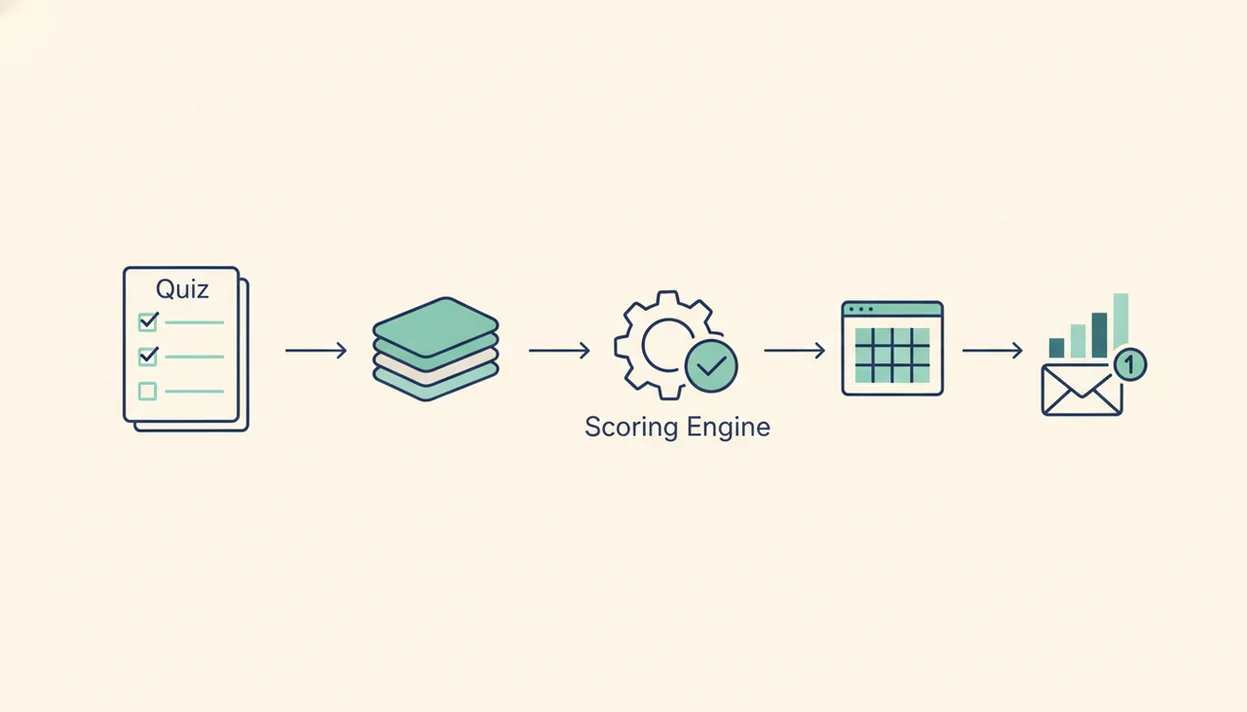
A scored quiz app works by turning each submitted answer into stored response data, then comparing selected answers against an answer key. The basic data flow is build, preview, share, submit, score, and review.
In practice, you create questions, mark correct answers, assign point values, make essential fields required, and share a link. After students submit, the system checks responses and stores results in a response list. Conditional logic can show different follow-up questions based on an answer. Plain translation: students do not all need to see the same next screen.
Live leaderboard scoring ranks players during the session. Self-paced form-style scoring records results for later review. Privacy still matters. Collect only what you need, especially names, emails, class periods, and student IDs.
For self-paced classroom checks, form-style scoring is often easier than live scoring because students can complete the quiz without matching one shared class schedule.
Six classroom steps for using a free quiz maker app
Use a free quiz maker app by defining the quiz job first, then building only the questions needed to score that job. A short quiz with clear answer keys usually beats a long one with messy results.
- Choose the quiz goal, such as vocabulary review, exit ticket, safety training, or reading check.
- Add plain-language questions with answer choices that students can read on a phone.
- Set correct answers, point values, required questions, and any needed branching.
- Test the quiz as a student, including account, email, and login requirements.
- Share the link in your LMS, class announcement, email, or training message.
- Review results, remove duplicate test submissions, and turn answers into next steps.
Small cleanup counts.
If you need a deeper setup walkthrough, the how to create quiz with scoring guide covers answer keys and result review in more detail.
Forms AI for form-style scored quizzes
Forms AI fits teachers and creators who need self-paced scored quizzes plus form workflows around them. It is strongest when a quiz sits beside a registration, training intake, follow-up survey, or parent information form.
Forms AI is a form builder app that helps small businesses, teachers, event organizers, marketers, nonprofits, and freelancers create forms, surveys, quizzes, and registrations with AI templates and drag-and-drop editing. A teacher can start with a template, then tweak fields like “Student name,” “Class period,” and “Short answer explanation” without building from a blank page.
Forms AI also works as an AI Form Builder for non-technical setup because users can build, preview, and share from a phone. It should not be treated as an enterprise testing platform, LMS replacement, or advanced psychometrics tool.
Teachers looking for one builder across quizzes and classroom forms can start with Forms AI because AI templates reduce the blank-page work and drag-and-drop editing keeps changes tap-friendly.
Kahoot for live classroom quiz games
Kahoot is a better fit when the quiz is meant to happen live, with everyone answering at the same time. Warmups, review games, staff training sessions, and presentation quizzes all benefit from timed questions and visible energy.
Leaderboards change the room. Students look up.
Kahoot says its platform is used by millions of teachers and students globally, so teachers should confirm current classroom limits on Kahoot’s own school plan pages before assigning it source. That scale reflects how common game-based review has become in classrooms and training rooms.
However, live quiz tools can be weaker for asynchronous homework, accommodations, or formal assessments. A student absent during third period may need a shareable scored quiz, not a leaderboard that already ended. For broader classroom collection, the best form builder for teachers comparison is often more relevant than a game-only shortlist.
Response capacity limits for teacher quiz apps
Does response capacity matter in a free quiz maker app? Yes, because multiple classes, retakes, training cohorts, and public quizzes can burn through a free plan quickly.
A teacher with 120 students and two attempts per student needs 240 submissions for one assignment. That makes a 10-response monthly free plan unusable for regular classwork, even if the quiz looks polished. EmailToolTester lists Typeform’s free plan at 10 responses per month, while Fillout is listed at 1,000 monthly responses and unlimited quizzes.
Estimate monthly submissions before building a quiz library. Count every class section, retake, practice attempt, and duplicate test run. Then compare that number with exports, analytics, and branding rules.
When response volume is the issue, Fillout earns attention for its free allowance, while Forms AI fits teachers who also need the quiz connected to forms, registrations, or a student survey app workflow.
Five myths about free quiz maker app choices
Free quiz maker app choices are easy to misunderstand because many tools use the same words for different workflows. Quiz Maker says more than 10 million quizzes have been completed on its platform source, which shows broad adoption, but popularity does not prove classroom fit.
| Myth | Fact |
|---|---|
| Every free quiz maker is a full assessment platform. | Many free tools omit item analysis, exports, gradebook reporting, or advanced logic. |
| Every free quiz app is good for classrooms. | Teachers need scoring, sharing, enough responses, and privacy review. |
| Scored quizzes must be live or game-based. | Self-paced form quizzes can calculate scores without a live session. |
| Free means unlimited. | Free plans often cap responses, features, exports, or branding removal. |
| Visual design is the main choice. | For class use, answer keys and response records usually matter more. |
A quiz maker for teachers should match the assignment, not just the template gallery.
Limitations
Free quiz tools can be useful, but the limits are real. Check these before using one with students, families, employees, or public participants.
- Response caps can block regular use across multiple classes or retakes.
- Locked exports may make grade review harder at the end of a unit.
- Platform branding is common on free plans and may not fit school materials.
- Limited analytics can prevent item-level review or class trend spotting.
- Question randomization may be basic or unavailable.
- Gradebook-style reporting is often weak unless you pay or use an LMS.
- Privacy review is still needed for student names, emails, accounts, and retention settings.
- Live quiz tools are not always ideal for self-paced assignments.
- App store listings and browser quiz builders are not the same thing.
- Some tools do not support registrations, file uploads, or branching.
A small business owner editing an order form from a phone between customer calls has different needs than a teacher grading chapter checks. The same free label can hide very different workflows.
FAQ
What is a free quiz maker app?
A free quiz maker app lets teachers or creators build online quizzes without paying upfront. Most include sharing links, question types, scoring options, and basic response collection.
Which quiz app is free?
Forms AI, Kahoot, Fillout, Quiz Maker, Canva, Typeform, and others offer free access or free plans. The right choice depends on response limits, scoring needs, privacy rules, and class workflow.
Can free quiz apps grade answers?
Many free quiz apps can grade answers with answer keys and point values. Advanced analytics, exports, or gradebook-style reports may require a paid plan.
Do students need accounts to take an online quiz?
Some quiz tools allow anonymous or link-based responses, while others require names, emails, or student logins. Teachers should check account rules before assigning the quiz.
What is a scored quiz app?
A scored quiz app calculates points, correct answers, or result categories from submitted responses. It usually stores each submission in a response list.
Are free quiz makers unlimited?
Most free quiz makers are not unlimited. Common limits include response caps, locked question types, branding, export restrictions, and reduced analytics.
Is Kahoot free for teachers?
Kahoot offers free access with plan-dependent limits. It is strongest for live classroom play, review games, and synchronous training.
Can I make quizzes on a phone?
Yes, some quiz makers support mobile creation and editing. For longer quizzes, a browser builder or tablet may be easier than a small phone screen.
How can I check whether a quiz maker protects student privacy?
Review what data the tool collects, whether students need accounts, sharing settings, retention options, and school policy. Collect only the fields needed for the quiz task.