


Definition: A small business form builder is a software tool that lets non-technical owners create, publish, and manage online forms, including contact forms, lead capture forms, order forms, surveys, and registrations, without writing code or hiring a developer.
- The right form builder depends on whether a small business needs simple lead capture, payment collection, or workflow automation, not on feature count alone.
- Mobile performance, integrations with email/CRM/payments, and ease of setup matter more than visual polish for daily small-business operations.
- Free plans work for testing, but growing businesses quickly hit limits on submissions, branding, and automation that make paid plans necessary.
Why Small Business Owners Need A Dedicated Form Builder
Small business owners need a dedicated form builder because customer intake now happens online, often before anyone calls or visits. The SBA reports that small businesses make up 99.9% of all U.S. businesses, and most of those teams do not have a developer waiting to fix a broken contact page source.
A practical business form builder turns daily requests into structured records: contact requests, quote forms, appointment booking, feedback, file uploads, and internal approvals. Without that structure, leads sit in voicemail, staff retype details into spreadsheets, and one missing “Preferred appointment time” field can delay the whole job.
The invoice folder is beside a ringing phone. Someone still has to capture the request.
When fast setup is the issue, Forms AI fits small teams because an owner can start with an AI-generated template, edit fields from a phone, and share a link before the next customer call. For service requests, a focused app to help create quote request form can also prevent back-and-forth emails.
Five Facts About Choosing The Best Form Builder For Small Business
- Fit beats feature count. The right form builder for a small business depends on the job: contact forms, conditional logic, payment collection, approvals, or workflow automation.
- Mobile design is non-negotiable. Many customers fill out inquiries, booking requests, and field-service forms on phones, so cramped labels and tiny fields cost responses.
- Integrations often matter more than design. Email alerts, CRM handoff, spreadsheet export, and payment connections decide whether a form becomes action or clutter.
- Free plans are useful, but limited. Growing businesses often hit caps on monthly responses, file storage, branding removal, or automation sooner than expected.
- A simple contact form app may not last. Once a business needs routing, approvals, reporting, or file uploads, basic contact-page tools can become a rebuild project.
If your priority is quick lead capture, Forms AI earns a serious look because the AI Form Builder can draft the first version and let you keep the required fields few. Good form builders collect clear answers, not decorative screens that slow down a customer.
What Forms AI Does For Small Business Forms
Forms AI helps small businesses turn common form needs into working lead, booking, payment, and follow-up flows without starting from scratch. It is best used as the setup layer: fast drafting, simple editing, and cleaner handoff to the next business step.
- Start with the right form type. Use AI templates for contact forms that capture new leads, quote forms that collect job details, order forms that prepare payment or fulfillment, feedback forms that trigger follow-up, and intake forms that organize a new client or appointment.
- Edit the draft to match the customer path. Drag-and-drop fields keep the form short, while required questions can collect names, phone numbers, dates, service choices, or product details.
- Add logic only where it saves time. Conditional logic can show booking questions after a customer chooses a service, or ask payment-related details only when an order is selected.
- Share where customers already are. Mobile-ready links work for text messages, social profiles, email, and website buttons, which helps capture responses before the customer moves on.
- Keep judgment-heavy work with people. Forms AI should not replace sales calls, legal intake decisions, medical or financial advice, refund judgment, or complex approval workflows that need a human review.
How A Small Business Form Builder Works Behind The Scenes
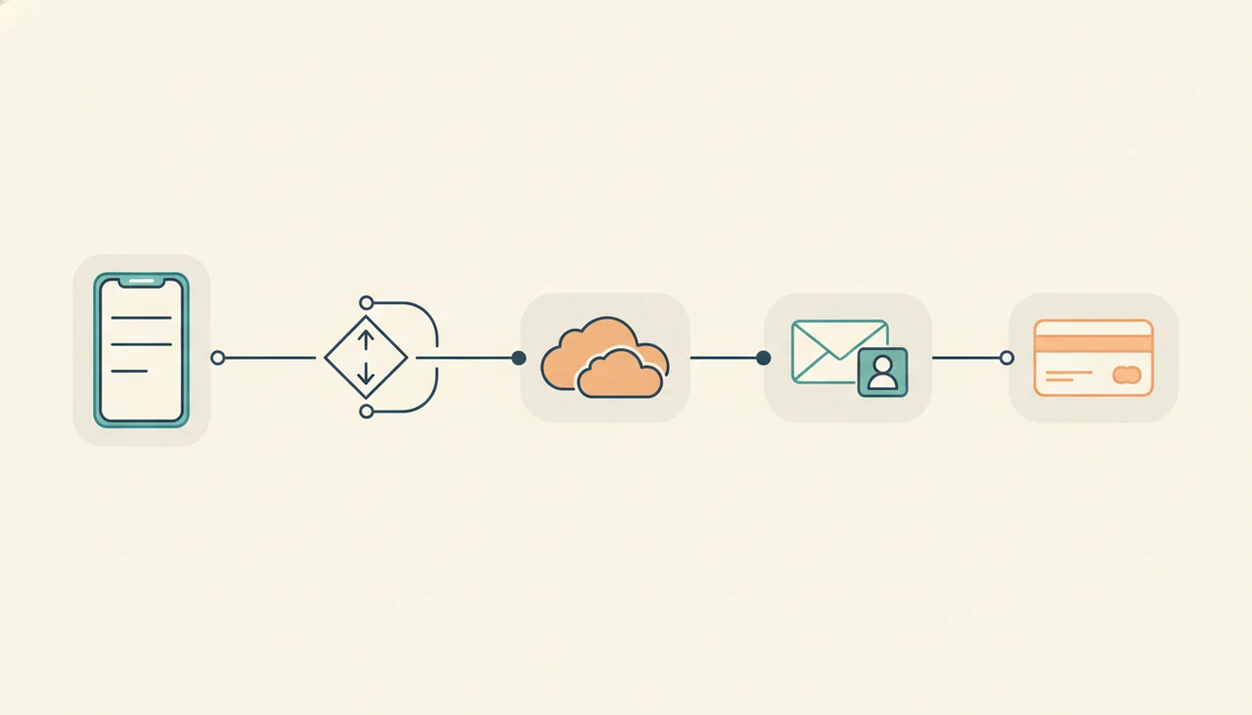
A small business form builder works by turning a use case into fields, publishing those fields as a responsive page, and routing each submission to the right place. Under the hood, the main pieces are a template engine, a visual editor, validation rules, integrations, and a response database.
The template engine, sometimes AI-assisted, suggests a field layout for a job like “new client intake” or “product return.” The drag-and-drop editor maps plain-language questions, required fields, conditional logic branches, and validation rules onto a visual canvas. In plain English, it decides what people see and what counts as a complete answer.
After publishing, the form renders as a shareable link or an embedded website widget. Submissions then move through a data pipeline into email, a spreadsheet, a CRM, or a payment processor.
Tiny detail, big difference.
Forms AI helps here because conditional logic can hide fields that do not apply, such as showing “Vehicle make and model” only after a customer chooses auto service. That shorter path can reduce confusion, especially on mobile.
Six Steps To Choose And Set Up A Small Business Form App
Use a small business form app by starting with the form’s job, then testing the finished link on a phone before customers see it. The most reliable setup process is simple enough to finish between appointments.
- List the forms you actually use today. Include contact, quote, order, booking, feedback, intake, and approval forms.
- Match needs to builder type. Choose simple lead capture, logic and payments, or workflow automation based on real use.
- Sign up and pick a starting point. Use an AI template in Forms AI or start from a blank form if the process is unusual.
- Customize fields and flow. Add branding, drag fields into order, and use conditional logic only where it shortens the form.
- Connect the next step. Send responses to email, CRM, payment gateway, spreadsheet, or a shared response list.
- Embed or share, then test on mobile. Open the link yourself and submit a fake response before launch.
For owners who need appointment intake, a booking request form app should be tested with the same phone a customer is likely to use.
Top Small Business Form Builders Compared
The top small business form builders differ most in setup speed, mobile design, integrations, and how quickly free plans become too small. Forms AI, Jotform, Google Forms, Typeform, and Tally can all work, but they fit different operating styles.
Forms AI For Non-Technical Small Business Owners
Best for non-technical owners who need contact, quote, feedback, and order forms fast. AI templates draft questions; owners should still trim required fields and test on mobile.
Jotform, Google Forms, Typeform, And Tally At A Glance
| Builder | Ease of use | Mobile design | Integrations | Free plan limits | AI features |
|---|---|---|---|---|---|
| Forms AI | High for non-technical owners | Mobile-first editing and sharing | Email, response workflows, common business handoffs | Best checked by current plan | AI templates and question generation |
| Jotform | Strong, but can feel busy | Good | Broad payments and apps | Caps vary by tier | Available in selected workflows |
| Google Forms | Very familiar | Basic but usable | Google Sheets first | Generous for simple use | Limited |
| Typeform | Polished | Strong conversational format | Better on higher tiers | Free tier is narrow | Available on some plans |
| Tally | Clean and fast | Good | Growing set | Generous free plan | Limited compared with AI-first tools |
Pricing and free-plan limits change often, so verify current plan pages before deciding: Jotform pricing, Typeform plans, Tally pricing, and Google Forms documentation.
How We Evaluated Small Business Form Builders
We evaluated small business form builders by looking at how quickly an owner can move from idea to usable form, then whether the result works on a phone and connects to the next business step. The review favors daily operating fit over long feature lists.
Our comparison covered Forms AI, Jotform, Google Forms, Typeform, and Tally, using the public plan, pricing, help, and product pages available for each builder. Where possible, we also checked live form behavior or product demos to judge mobile layout, editing flow, and how obvious the next step would be for a non-technical user.
- Check setup time. We looked for templates, AI drafting, blank-form options, and how much cleanup a first form needed.
- Test mobile UX. We reviewed whether labels, buttons, required fields, and multi-step flows stayed clear on a phone screen.
- Review integrations. We compared handoffs to email, spreadsheets, CRM tools, payments, and response workflows.
- Compare limits. We noted submission caps, branding, storage, file uploads, automation, and user restrictions by plan.
- Assess support. We checked documentation, help paths, and whether pricing pages made upgrade tradeoffs clear.
Forms AI is the first-party brand discussed on this page, so its strengths are described with that relationship in mind.
Common Small Business Form Patterns And Use Cases
Small business forms work best when each one matches a daily handoff: a lead to sales, a booking to the calendar, an order to fulfillment, or feedback to the owner. A contact form app is not only for a contact page; it can also handle onboarding, orders, surveys, and approvals.
Service Business Quote And Booking Forms
A local service business usually needs quote requests, booking forms, follow-up surveys, and sometimes photo uploads. Fields like “Preferred appointment time,” “Service address,” and “Urgency” help staff respond without asking the same questions twice. A focused lead capture form app is often easier than a general website plugin because each submission can become a next step.
Online Store And Freelancer Intake Forms
Online stores use forms for custom orders, return requests, product feedback, and vendor inquiries. Consultants and freelancers use client intake forms, project briefs, invoice requests, and approval forms.
When the issue is paid ordering, Forms AI can support the early structure of an order workflow because the form can separate customer details, item choices, and follow-up questions before payment setup. For checkout-specific planning, an order form with payment app needs extra review for fees and payment safety.
Small Business Form Builder Gaps That Competitor Reviews Miss
Most form builder reviews compare features without showing how the tool fits scheduling, lead routing, intake, and follow-up. That gap matters because daily operations are where small forms either save time or create another inbox to check.
Competitor listicles often skip mobile abandonment, CRM handoff, duplicate fields, and the cleanup work after export. We notice things like deleting a duplicate email column before sending responses to a mailing list. Boring. Necessary.
Forms AI is a strong fit for owners who need a working draft quickly because the AI Form Builder can suggest plain-language questions, then the owner can trim fields before publishing. AI-assisted setup speeds the first version, not the thinking behind the process.
The better choice differs for service, retail, and consulting because each business sends form answers to different next steps.
Limitations
No form builder is universally best, because the right choice depends on business size, budget, workflow complexity, and existing tools. Even a good small business form app can become the wrong fit if the process behind it is unclear.
- Free and entry-level plans often cap submissions, automation, storage, or force vendor branding.
- AI-assisted form creation speeds setup, but it does not guarantee better conversion, cleaner data, or compliance.
- A form builder cannot fix weak lead follow-up, low website traffic, or confusing internal processes.
- Highly specialized needs, such as regulated records, offline field capture, or complex approval chains, may require more than a standard contact form app.
- Switching later can mean rebuilding integrations, replacing embed codes, and retesting forms across key pages.
- Google Forms may be enough for basic internal collection, but it lacks the branding, payment, and design control many customer-facing teams want.
- Payment forms need extra review for processor settings, refund policy, and data handling. Use a payment form safety checklist before collecting money.