
AI Form Prompts for Surveys, Quizzes, RSVPs, and Leads
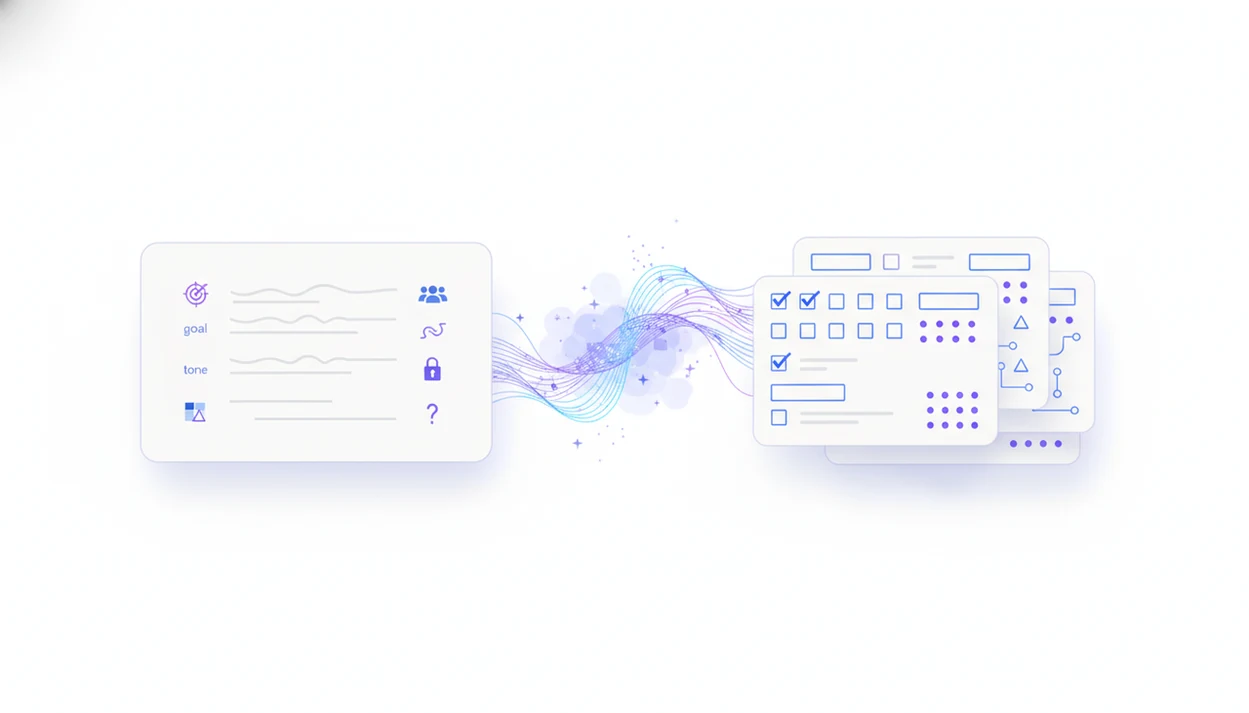
AI form prompts are plain-English instructions that tell a form builder what to create, who the form is for, what fields to include, and what rules to follow. The best prompts produce usable first drafts by specifying the goal, audience, question types, constraints, tone, and review requirements before you edit the form.
> Definition: An AI form prompt is a written instruction that tells an AI form builder to draft a form, survey, quiz, RSVP, registration, or lead capture flow with specific fields, questions, answer options, and rules.
TL;DR
- A strong prompt names the form goal, audience, field types, length, tone, and any required logic.
- Use different prompt details for surveys, quizzes, RSVPs, and lead forms because each collects different data.
- Always review AI-generated forms for clarity, bias, privacy, factual accuracy, and missing edge cases before publishing.
AI Form Prompts: Definition and Best-Use Cases
An AI form prompt is a form-specific instruction that turns a plain-language request into draft fields, questions, options, and rules. It works best when the creator knows the form’s job but does not want to start from a blank screen.
These prompts are useful for surveys, quizzes, registrations, RSVPs, contact forms, order forms, intake forms, and lead forms. A teacher might ask for a 10-question spelling quiz at the kitchen table. An event organizer might ask for an RSVP with meal choices and accessibility needs.
Tools like Forms AI serve the app-first side of this work for small businesses, teachers, event organizers, marketers, nonprofits, and freelancers. Still, the prompt creates a first draft. It does not create a finished form that should be published without review.
At-a-Glance AI Form Prompt Formula
Use this formula for AI form prompts: Create a [form type] for [audience] to [goal] with [number] questions or fields, using [question types], [tone], [constraints], and [rules].
Example: “Create a customer feedback survey for recent repair clients to rate service quality with 8 questions, using a 1–5 rating scale, one open-text question, plain language, no leading wording, and a required email field only if the customer wants a callback.”
That beats “make a customer survey” because it gives the AI a job, a reader, a length, and guardrails. Vague form generator prompts tend to produce broad questions like “How satisfied were you?” without the scale, context, or next step.
For customer feedback, a more detailed set of customer feedback form prompts can help when the form needs ratings, comments, and service follow-up fields.
Before You Write an AI Form Prompt
Before you write the prompt, decide what the finished form must help you do. A good AI draft starts with the decision, not the field list.
- Define the choice or next action the form supports, such as approving attendance, qualifying a lead, grading a quiz, or choosing who needs follow-up.
- Identify who will answer, where they will likely be, and how much time they have. A parent on a phone at pickup needs different wording than an employee completing an internal request at a desk.
- Collect required language before prompting, including consent text, privacy notes, deadlines, eligibility rules, confirmation messages, and follow-up instructions.
- Separate necessary data from nice-to-have data. Mark the fields that must be required, then leave sensitive or secondary details optional unless they support the decision.
- Decide whether the form needs conditional logic, scoring, file uploads, date limits, email validation, or required checkboxes. Add those rules to the prompt so the first draft is closer to usable.
Five Facts About Better Form Generator Prompts
- AI form prompts are specialized AI prompts for form tools. They tell the system to produce fields, questions, answer options, and sometimes logic, not just prose.
- Effective form generator prompts specify the goal, audience, and field types. “Collect volunteer shift availability from parents” is more useful than “make a signup form.”
- Context improves the draft. Add industry, tone, scale labels, length limits, required fields, and logic rules. A nonprofit intake form at a folding desk needs different wording than a product research survey.
- Prompting is iterative. The first draft often reveals what you forgot, such as “Parent/guardian name” or a duplicate phone field. Prompt again or edit directly.
- Human review remains required. Check bias, clarity, privacy, and compliance before sending. McKinsey reported in its 2023 State of AI survey that 79% of respondents had at least some exposure to generative AI, which makes prompt quality a practical data-collection issue, not a niche skill (https://www.mckinsey.com/capabilities/quantumblack/our-insights/the-state-of-ai-in-2023-generative-ais-breakout-year).
How AI Form Prompts Work Inside a Form Builder
AI form prompts work by converting your instruction into structured form components. The system reads the stated goal, audience, entities, constraints, question types, and rules, then maps them into fields and question blocks.
In practice, “RSVP for a fundraiser” may become short text fields, an email field, a guest count dropdown, meal preference choices, required fields, and conditional logic. “Show meal preference only if attending” becomes a rule, not a visible question for every respondent. The mechanism is closer to prompt parsing and field mapping than mind reading. Plainly: the AI sorts your request into form parts.
A drag-and-drop editor then lets you revise the draft. You might drag a question block with one finger, change “company” to “organization,” or delete a duplicate email column before exporting responses.
Good AI form builder apps create a mobile-friendly draft with editable fields and smart templates, not a guarantee that every policy, legal requirement, or private workflow has been handled.
How to Use AI Form Prompts in Forms AI
Start with the form’s job, then add constraints before you generate. A small business owner editing an order form from a phone between customer calls needs a cleaner prompt than “make an order form.”
- Set the goal, audience, and form type before writing the prompt, such as “event RSVP for invited sponsors.”
- List required fields, question types, and answer scales, including email, date, rating scale, dropdown, or open text.
- Add constraints for length, required questions, tone, conditional logic, and fields that must stay optional.
- Generate the draft in Forms AI, then preview it on the device your respondents will likely use.
- Review every field for clarity, bias, privacy, missing fields, and awkward mobile length before sharing the link.
For non-technical teams, prompting first and editing second is often easier than building from a blank canvas because the first draft exposes the missing decisions.
AI Survey Prompts, AI Quiz Prompts, RSVP Prompts, and Lead Prompt Examples
Use different prompt patterns for surveys, quizzes, RSVPs, and lead forms. Each form type has a different data job, so one generic prompt will usually miss something important.
Survey prompt example
“Create an AI survey prompt for recent workshop attendees to measure satisfaction and improvement ideas. Include 7 questions, a 1–5 rating scale with labels, one open-text comment, plain language, and instructions to avoid leading or double-barreled questions.”
Quiz prompt example
“Create a 12-question middle school science quiz on ecosystems at moderate difficulty. Use multiple choice and short answer. Include an answer key, one-sentence explanations, and a reminder to review every answer for factual accuracy.”
A teacher who needs more classroom-specific structure may prefer a quiz question generator app workflow for answer keys and explanations.
RSVP prompt example
“Create an RSVP form for a Friday community dinner with guest count, meal preferences, accessibility needs, contact email, and a response deadline of May 10.”
Lead form prompt example
“Create a concise lead capture form with 5 fields: name, email, company size, service interest, and preferred appointment time. Add a placeholder for consent language.”
Prompt Constraints That Improve AI Form Drafts
Constraints make AI-generated forms shorter, clearer, and easier to answer. Without them, drafts often become bloated, generic, or full of questions that sound useful but do not support a decision.
Useful constraints include “exactly 8 questions,” “maximum 80 characters per question,” “Grade 8 reading level,” “no yes/no questions,” and “no double-barreled questions.” You can also define required versus optional fields. For example, require “Volunteer shift” but keep “special notes” optional.
Add validation rules when the answer format matters: email format, phone number format, date range, file size limit, or a required consent checkbox. Then add logic rules. “Show meal preference only if attending” keeps an RSVP tidy. “Show follow-up question only for ratings of 1 or 2” keeps a feedback survey focused.
For event-specific wording, event registration form prompts can help separate attendee details from venue and deadline rules.
Common AI Form Prompt Mistakes and Fixes
Most weak AI form drafts come from missing context, not a broken tool. Fix the prompt by naming the decision the form supports, the respondent, and the rules the draft must follow.
- Replace vague goals with specific outcomes. “Make a survey” invites generic questions and soft answer options; “measure why first-time customers did not rebook” gives the AI a sharper target.
- Describe the audience and setting. A lead form for busy contractors should be shorter and more direct than a donor survey for longtime supporters. Without that detail, tone and length drift.
- Split double-barreled questions into one idea each. Change “Was our service fast and friendly?” into separate speed and courtesy ratings.
- Clean answer choices and scales. Remove overlapping options like “1–5 employees” and “5–10 employees,” label scale endpoints, and keep direction consistent.
- Add missing logic rules for RSVPs and lead forms. Tell the AI to show meal choices only if attending, guest details only when guests are allowed, and budget or timeline follow-ups only for qualified leads.
Before: “Create an RSVP form for our dinner.” After: “Create a 6-field RSVP for invited families, with attending yes/no, guest count only if attending, meal choice per attendee, accessibility needs, email, and a May 10 deadline.”
Common Myths About AI Form Generator Prompts
A vague prompt does not automatically create the right questions, scales, and logic. “Make a customer survey” may produce usable-looking questions, but it will not know your refund policy, service stages, or follow-up process unless you include them.
AI survey prompts also do not guarantee neutral or statistically valid wording. Generative AI can still write leading questions, mismatched rating scales, or answer choices that overlap. Small issue. Big data problem.
AI quiz prompts need the same caution. Generated quizzes may include incorrect answer keys, uneven difficulty, or explanations that sound confident but are wrong.
Forms AI or any other AI form builder does not automatically cover every legal, compliance, accessibility, or privacy requirement. Pew Research Center found in 2023 that 52% of U.S. adults felt more concerned than excited about increased AI use in daily life, while 10% felt more excited than concerned, which is a useful reminder to review wording and be clear about data use (https://www.pewresearch.org/short-reads/2023/08/28/growing-public-concern-about-the-role-of-artificial-intelligence-in-daily-life/).
AI Form Prompt Review Checklist Before Publishing
Does the AI-generated form need review before publishing? Yes, every AI-generated form should be checked for clarity, necessity, answer quality, privacy, and mobile usability before the shareable link goes out.
Use this checklist before sending:
For surveys, pay special attention to question wording and answer scales because small wording changes can change response quality. For lead forms and registrations, pay special attention to data minimization: if a field does not support a clear next step, remove it.
- Check whether each question is plain-language and asks one thing.
- Remove fields you do not need to collect.
- Confirm answer options are mutually exclusive and complete.
- Preview the form on a phone for length and tap targets.
- Test validation rules for email, phone, dates, uploads, and required fields.
- Add or verify consent language and privacy notices where needed.
- Review confirmation messages so respondents know what happens next.
- Pilot important surveys or quizzes with a small group before wider release.
You can prompt for safeguards upfront, including attention checks, instructions to avoid leading wording, and clean answer choices. Then use the drag-and-drop editor to fix what the prompt missed.
If your source material starts in another format, a guide on what app identifies form fields in document explains that separate extraction step.
Limitations
AI form prompts are useful, but they cannot remove the need for judgment. Review matters most when the form collects sensitive, high-stakes, or decision-making data.
Apply the same review standard whether the draft comes from Forms AI, Google Forms with Gemini, Jotform AI Form Generator, Typeform, Microsoft Forms, or another AI Form Builder.
- AI form prompts cannot infer unique organizational policies, internal jargon, or edge-case workflows unless you describe them.
- Generative AI can still create biased, leading, vague, or double-barreled survey questions.
- AI-generated quiz questions may include factual errors, ambiguous choices, or incorrect answer keys.
- AI form builders do not automatically guarantee legal, privacy, accessibility, or compliance coverage.
- Over-reliance on prompts can create generic template-like forms that miss business-specific questions.
- AI drafts do not replace usability testing, survey piloting, or long-term response-quality monitoring.
- Consent language, privacy notices, and accessibility checks may need review from qualified specialists.
The pocket check is real. If the form looks fine on desktop but feels cramped on a phone screen behind a shop counter, edit it before sharing.
FAQ
What are AI form prompts?
AI form prompts are written instructions that tell an AI form builder what form, fields, questions, options, and rules to draft. They can generate surveys, quizzes, RSVPs, registrations, and lead forms.
How do form generator prompts work?
Form generator prompts describe the goal, audience, field types, constraints, and logic. The AI maps those instructions into form components such as text fields, rating scales, multiple choice questions, and conditional rules.
What makes a good form prompt?
A good form prompt names the goal, audience, question types, constraints, tone, and review needs. It should also mention required fields, optional fields, and any logic rules.
Can AI write survey questions?
Yes, AI can draft survey questions from a prompt. You still need to check for bias, unclear wording, weak scale design, and privacy issues.
Can AI create quiz answers?
Yes, AI can generate quiz answers, answer keys, and explanations. Always verify factual accuracy, difficulty level, and whether the answer choices are unambiguous.
What should survey prompts include?
Survey prompts should include the audience, survey goal, desired scale, number of questions, open-ended question needs, and neutrality instructions. Add privacy limits if the survey collects personal information.
What should quiz prompts include?
Quiz prompts should include the topic, grade or skill level, number of questions, question formats, answer key, and explanations. They should also ask for an accuracy review step.
Are AI form prompts safe?
AI form prompts are useful, but they are not automatically safe for every situation. Review privacy, consent, compliance, and sensitive-data collection before publishing in Forms AI or any similar builder.
Do prompts replace form editing?
No, prompts create drafts. Editing is still needed to fix wording, remove unnecessary fields, test logic, and prepare the form for real respondents.