
Event Registration Form Timeline From Invite to Follow-Up
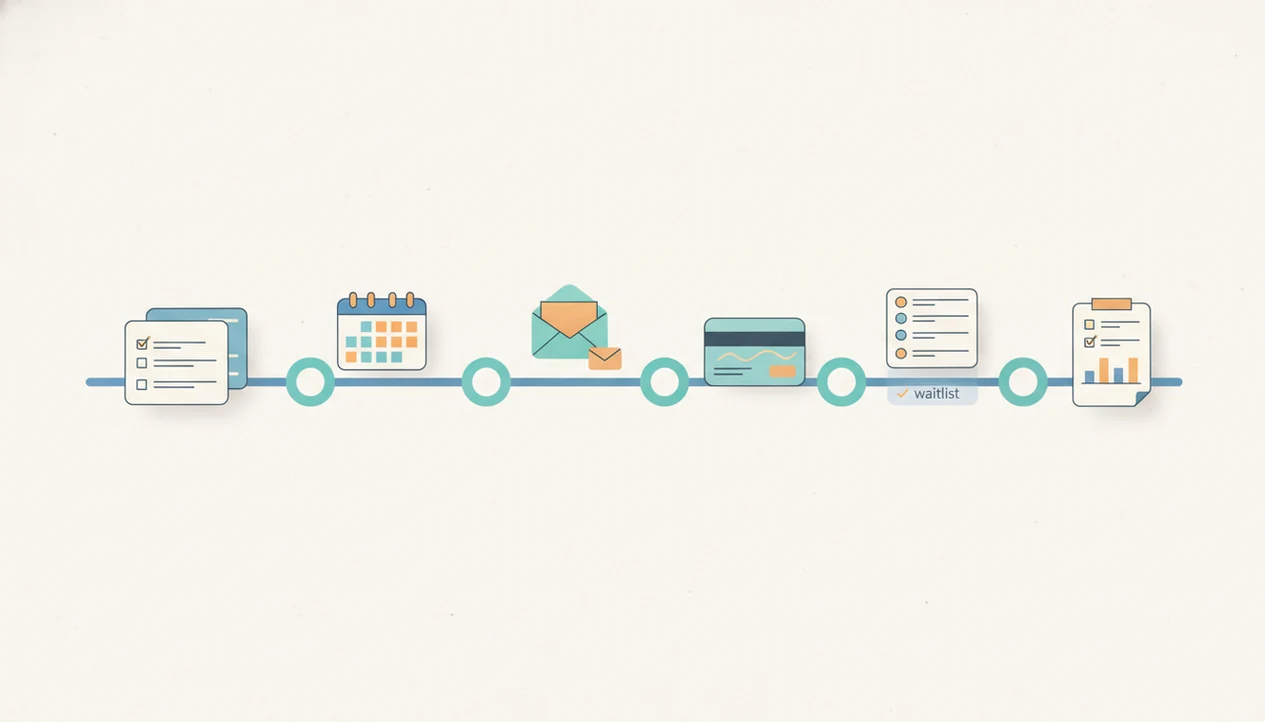
An event registration form timeline should start 8–12 weeks before most public events, then move through form creation, testing, launch, reminders, capacity checks, closing, attendee export, and post-event follow-up. Use the schedule as a registration launch plan so your signup form, RSVP follow up, and final attendee list are ready before the event day.
An event registration form timeline is the dated plan for creating, launching, promoting, managing, closing, and following up on an event signup form.
- Start 8–12 weeks ahead for most public in-person events, but shorten the timeline for smaller virtual events.
- Build the form early, then leave time for QA, approvals, payment testing, reminder emails, and attendee exports.
- The timeline should continue after registration closes with check-in prep, waitlist updates, and a post-event survey.
Event registration form timeline at a glance
A practical event registration form timeline starts 8–12 weeks before the event and continues after registration closes. Use it as a dated checklist, not just a “make the form” reminder.
At 8–12 weeks out, draft the form, required fields, payment needs, consent language, attendee limits, and refund notes. At 6–8 weeks, test the form, confirmation message, automations, payment flow, and internal approvals. At 4–6 weeks, launch promotion through email, social posts, partner links, and any early-bird deadline.
At 1–3 weeks, run RSVP follow up, check capacity, decide waitlist rules, and send reminder emails. In the final week, close or restrict the form, export attendees, send check-in details, and prepare the post-event survey. The QR code taped to a poster board should not be the first real test.
How an event registration form timeline works
An event registration form timeline works by linking each milestone from first draft to post-event follow-up. Each date should show who owns the task, what must be finished, what could break, and what attendee data the team needs next.
Think of the form as the intake point and the timeline as the routing plan. A field like “Session choice” may feed confirmation text, capacity reports, reminder segments, check-in exports, and follow-up survey groups. Payment status can drive receipts, unpaid reminders, and the final attendee list. These handoffs are integrations, meaning tool connections, and segments, meaning smaller attendee groups based on answers or status.
- Map each milestone to an owner, deadline, risk, and data output.
- Connect form fields to confirmations, payments, exports, reminders, and check-in needs.
- Review changes before launch, because adding a late field after responses arrive can force cleanup across lists, spreadsheets, payment records, and CRM syncs.
- Use AI drafting to speed the first version, then still test the form, approval path, payment flow, and reminders before promotion.
Event signup data flow behind the scenes
An event signup timeline coordinates the movement of registration data from the form into confirmations, payment records, attendee lists, check-in sheets, and follow-up survey segments.
The timeline is not only a form build schedule. It also controls traffic, staff workload, attendance targets, and the handoff between marketing and operations. One late field change, such as adding “Meal preference” after 200 responses, can create cleanup work before export.
AI form builders reduce drafting time, but they don't remove QA, approval, or integration testing. Tools like Forms AI can help teams start with a template and make drag-and-drop edits from a phone. Forms AI is a form builder app that helps small businesses, teachers, event organizers, marketers, nonprofits, and freelancers create forms, surveys, quizzes, and registrations with AI templates and drag-and-drop editing.
A good AI form builder app for creating forms, surveys, quizzes, and registrations with intuitive drag-and-drop and smart templates should deliver a faster starting point, not a substitute for event decisions.
5 steps to use an event registration form timeline
Use the timeline by turning each registration milestone into a calendar task with an owner. The goal is to build, preview, share, monitor, close, and follow up without scrambling in the final 48 hours.
1. Set the registration milestones
- Set the event date, capacity, audience, price windows, and registration cutoff before building fields.
- Choose the moments that change attendee behavior, such as early-bird pricing or waitlist opening.
2. Build and test the signup form
- Build required fields, conditional questions, payment settings, consent text, and confirmation copy.
- Test the form on mobile and desktop, including payments, email confirmations, and integrations.
3. Schedule launch and reminder messages
- Schedule launch messages, reminder emails, RSVP follow up, and waitlist rules.
4. Review capacity and attendee data
- Review submission volume, incomplete entries, duplicate emails, unpaid registrations, and session choices.
5. Close, export, and follow up
- Close registration, export attendee data, send check-in instructions, and create a post-event survey.
For small teams, a phone-first build can help; the steps are similar to the workflow in how to create registration form with phone.
Registration launch plan for in-person, virtual, and hybrid events
Different event formats need different launch windows because the operational risk is different. In-person events usually need more lead time than virtual events because food counts, room capacity, staffing, badges, and printed materials all depend on registration data.
| Event type | Typical launch window | Why the timing differs |
|---|---|---|
| In-person conference, workshop, or fundraiser | 8–12 weeks, often longer | Travel, venue capacity, catering, staff plans, and printed materials need early numbers. Nearly 50% of U.S. in-person planners open 2–6 months ahead, according to PCMA 2021 data source. |
| Virtual webinar or online class | 2–6 weeks | PCMA's Convene COVID-19 Recovery Dashboard found virtual and hybrid organizers commonly opened registration 2–4 weeks ahead or 1–2 months ahead source. |
| Hybrid event | 6–10 weeks | You need both physical attendance planning and virtual access details, including login instructions and session links. |
For recurring community events, a free RSVP form app can be enough when there is no payment, seating chart, or complex session logic.
RSVP follow-up schedule for higher attendance
RSVP follow up works better when every message has a job. Send fewer emails, but make each one tied to a deadline, capacity update, missing detail, or attendee instruction.
- Send the first email invitation at launch, with the registration link, event value, date, location, price, and cutoff.
- Send an early-bird reminder before the price or discount deadline, not after people have already missed it.
- Send a second nudge near capacity or near the final registration deadline, especially for people who opened but did not register.
- Segment reminders by registered, not registered, waitlisted, paid, unpaid, and incomplete responses.
- Send the final logistics email before the event with arrival time, parking, access links, check-in steps, and what to bring.
Email still carries much of this work. Cvent’s 2023 benchmark report says 73% of event professionals named email their most effective event marketing channel source.
One useful message beats three vague nudges.
Event signup checkpoints before registration closes
Run operational checks while the form is live, not only after it closes. Around 87% of organizers collect attendee data through online forms, according to EventMB's 2021 event tech report source, so the response list often becomes the working source of truth.
Capacity check. Compare submission volume against your attendance goal, room capacity, staff ratio, and session limits. An event organizer checking RSVP counts in a parking lot while a vendor texts about table numbers needs clean numbers, not guesses.
Data quality check. Review incomplete, duplicate, unpaid, and suspicious entries. Delete the duplicate email column before exporting if your form tool created one during a field edit.
Field coverage check. Confirm dietary needs, accessibility requests, session choices, consent, guest names, and emergency contact fields are captured correctly.
Automation check. Audit confirmation emails, calendar links, payment receipts, spreadsheet syncs, and CRM updates. If demand may exceed capacity, define the cutoff in a waitlist form app before the list gets messy.
Forms AI workflow for reusable registration timelines
The AI Form Builder can help teams reuse the same registration structure across events instead of rebuilding from a blank page. Start with a smart template, then tweak fields for “Attendee name,” “Preferred session,” “Volunteer shift,” payment status, consent, and post-event feedback.
Drag-and-drop editing is useful when the agenda changes after review. You can move a required question, split a long section, or rewrite a label while looking at the form on a phone screen behind a shop counter. For recurring workshops, classes, webinars, fundraisers, and community meetups, save the structure and clone it for the next date.
The AI Form Builder can shorten the draft stage, but human review still matters. Check pricing, dates, refund language, consent wording, venue instructions, and accessibility details before sharing. If you are comparing tools, the best event registration form app choice usually depends on payment needs, mobile editing, and export workflow. Compare options such as Google Forms, Jotform, Typeform, and Eventbrite if you need different tradeoffs around ticketing, branding, payments, or CRM handoff.
Limitations
A registration timeline gives structure, but it cannot solve every event problem. Treat it as an operating plan that still needs judgment.
- A strong timeline cannot fix weak event marketing, unclear positioning, or an event offer people do not understand.
- Average launch windows may not fit weddings, high-ticket conferences, internal trainings, or niche community events.
- AI-generated forms can still contain unclear labels, missing consent fields, duplicate questions, or awkward question order.
- Automated RSVP follow up only works when the form, email, payment, and CRM tools are connected and tested.
- Capacity changes, speaker changes, weather, refunds, venue constraints, and sponsorship changes can force timeline edits.
- Historical benchmarks may not match every post-pandemic audience, region, industry, or event format.
- Short timelines can work for small free events, but they leave less room for approvals and data cleanup.
Build in slack.
FAQ
When should event registration open?
Most public in-person events should open registration 8–12 weeks before the event. Larger, paid, travel-heavy, or conference-style events often need a longer launch window.
How long should an RSVP form stay open?
An RSVP form should stay open until the organizer has enough time to finalize capacity, staffing, food counts, and attendee communication. Free virtual events can often stay open later than catered or ticketed in-person events.
When should event reminder emails be sent?
Send reminder emails at launch, before an early-bird deadline, near the final cutoff, and shortly before the event with logistics. Each reminder should have a clear reason, such as deadline, capacity, payment, or instructions.
When should event registration close?
Event registration should close early enough to export attendee data, prepare check-in, send final details, and resolve unpaid or incomplete entries. Many in-person events need several days of buffer.
Do virtual events need a shorter registration timeline?
Virtual events can often use a shorter registration timeline because there is no venue seating, catering, or printed check-in material. They still need reminders, access instructions, and attendance follow-up.
What is a soft launch for an event registration form?
A soft launch is a limited release of the form to a small group before full promotion. It is used to test questions, payment flow, confirmation messages, and integrations.
Should event waitlists have cutoff dates?
Yes, waitlists should have cutoff dates so organizers can manage capacity and communicate clearly. A cutoff also prevents last-minute confusion for people who are unlikely to be admitted.
What happens after event registration closes?
After registration closes, organizers export attendees, send final instructions, prepare check-in, update waitlisted people, and clean the response list. Many teams also create a post-event survey at this stage.