
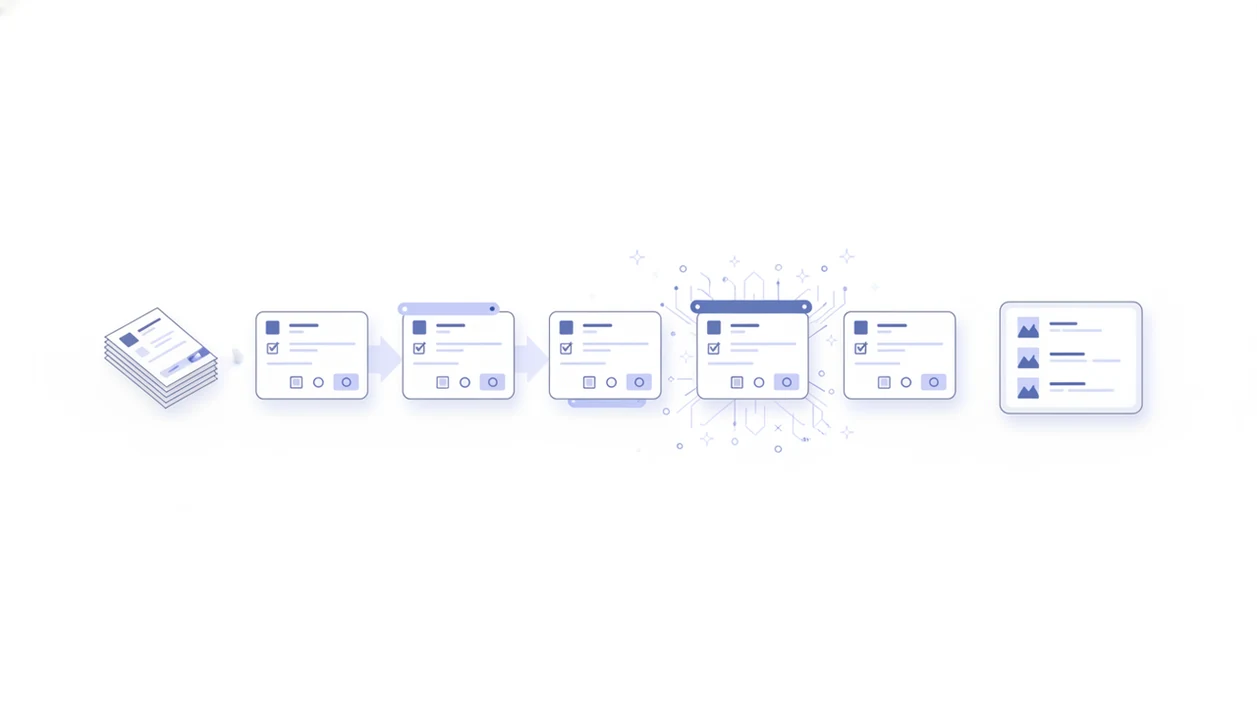

A form templates app is a no-code tool that provides ready-made online form layouts, such as surveys, quizzes, RSVPs, and contact forms, that users customize with drag-and-drop editing, conditional logic, and AI-assisted refinement before publishing.
- Pick a template, customize with drag-and-drop, and publish a professional form in minutes
- AI suggests questions, branching logic, and design based on a plain-language description
- Templates cover surveys, quizzes, registrations, contact forms, lead capture, and more
What a Form Templates App Does for You
A form templates app turns a blank form into an editable first draft. The template is not the finished product; it is the starting structure you adjust for your audience, brand, and next step.
- Templates give you ready-made layouts for surveys, quizzes, RSVPs, lead forms, and contact forms.
- Building from a template is usually faster than naming every field, writing every label, and arranging every section from scratch.
- No-code editing lets a shop owner change “Preferred appointment time” from a phone between customer calls.
- AI Form Builder helps non-technical users move from “I need a volunteer signup” to a shareable link without spreadsheet setup.
- Forrester has reported that low-code platforms can improve development speed by up to 10 times compared with traditional methods (Source: Forrester, https://www.forrester.com/report/the-total-economic-impact-of-microsoft-power-platform/).
The right fit for quick information collection is Forms AI because it starts with the form’s job, then lets you edit fields, logic, and layout in one workflow.
How Smart Form Templates Work Behind the Scenes
Smart form templates work by combining a template library, an AI drafting layer, a drag-and-drop editor, and a publish pipeline. In plain terms, the system gives you structure first, then helps you tune the details.
The template library is organized by use case: survey, quiz, registration, contact, and lead capture. When you type a plain-language prompt, the AI layer drafts questions, suggested field types, possible conditional logic, and a basic layout. Then you move fields, rename labels, and remove anything unnecessary in the editor.
A good AI Form Builder for surveys, quizzes, and registrations should create editable structure and cleaner response data; it should not replace human review.
Under the surface, standardized data structures matter. Field names, validation rules, and answer formats make later exports cleaner. We have deleted enough duplicate email columns before export to care about that.
Small cleanup saves time later.
How to Use Online Form Templates in Forms AI
Use online form templates in Forms AI by picking a category, previewing the fields, editing the form, asking AI for refinements, and publishing a link or embed. The flow is meant for people who need the form live today, not after a long setup project.
- Browse or search the template gallery by category, such as survey, quiz, registration, contact, or lead capture.
- Select a template and preview the default fields before changing anything.
- Customize questions, branding, and logic with drag-and-drop editing.
- Let AI refine wording, add conditional branches, or suggest missing fields like “Parent/guardian name.”
- Publish and share through a link, website embed, or QR code.
A teacher trying to send a student feedback form before dismissal can use Forms AI because the template, preview, and shareable link stay in the same build, preview, share workflow.
When to Use Each Template Category
Use the template category that matches the decision you need to make after responses arrive. A survey, quiz, RSVP, and lead form may look similar on the screen, but each one creates a different response list.
Survey and Feedback Templates
A survey templates app fits customer feedback, employee pulse checks, and simple market research. Keep rating scales consistent, and add one open comment field.
Quiz and Assessment Templates
Quiz templates work for classroom checks, personality quizzes, and product recommenders. A teacher can copy a quiz link into a class announcement five minutes before the bell.
Registration and RSVP Templates
Registration templates fit event RSVPs, class sign-ups, and membership enrollment. Forms AI helps organizers collect names, ticket choices, and “Volunteer shift” answers without rebuilding the same form.
Contact and Lead Capture Templates
Contact and lead capture templates belong on websites and landing pages. Gartner has said 70% of new enterprise apps would use low-code or no-code technologies by 2025 (Source: Gartner, https://www.gartner.com/en/newsroom/press-releases/2021-11-10-gartner-says-cloud-will-be-the-centerpiece-of-new-digital-experiences), which tracks with the move toward faster form workflows.
What Form Templates Look Like in Forms AI
Forms AI templates start with a single-sentence prompt, then become an editable draft with fields, sections, and suggested wording. You might type “Create an RSVP form for a Saturday fundraiser with meal choice and volunteer interest,” then preview the result before sharing it.
The editor uses drag-and-drop controls with a real-time preview, so you can see whether the form feels too long on mobile. Built-in analytics and response tracking stay attached to each template, which helps you turn answers into next steps instead of hunting through exports.
Anyone dealing with landing page testing can use Forms AI because template versioning and A/B testing let teams compare form variants, response rates, and completion patterns. CRM, email, payment, and webhook connections also help the form hand off data after submission.
Form Templates App vs Generic Template Galleries
A form templates app differs from a generic gallery because it adapts the draft after you describe your goal. Static galleries can offer many examples, but the user still does most of the tailoring.
| Option | What it usually does well | Where it can fall short |
|---|---|---|
| Jotform or forms.app galleries | Large template volume across many industries | Less goal-specific AI customization inside the starting draft |
| Typeform-style templates | Polished conversational forms | May require more manual setup for branching and data structure |
| Static download galleries | Quick inspiration | Inconsistent field names, validation, and ownership |
| Forms AI smart templates | AI-generated questions, logic, and editable layouts | Still needs review before launch |
Survey software was estimated around USD 2.9 billion in 2023, with projected 13–14% annual growth through 2030 (Source: Grand View Research, https://www.grandviewresearch.com/industry-analysis/survey-software-market-report). For small teams, AI-driven templates are often easier than static galleries because the draft responds to the actual form goal.
Evidence and Sources for Form Templates Apps
The proof for form templates apps comes from two places: broad low-code adoption research and the everyday privacy risk of collecting structured data online. Forms AI’s specific claims are product capabilities; market-size and adoption figures come from outside research firms.
Forrester’s low-code speed findings and Gartner’s no-code adoption forecast support the market context: teams want faster ways to build internal tools, landing-page forms, surveys, and signups without waiting on engineering. Grand View Research is the source behind the survey software market estimate and growth-rate projection already cited above. Pew Research Center’s privacy work is relevant because online forms often ask for names, emails, preferences, health-adjacent details, payments, or children’s information, and respondents may not feel in control of how that data is used.
Use the evidence this way:
- Treat AI-generated questions, drag-and-drop editing, conditional logic, analytics, A/B testing, and integrations as Forms AI product capabilities.
- Treat low-code adoption, survey software growth, and privacy concern statistics as market context.
- Check the named research source behind any size, growth, or adoption number before reusing it in sales material.
- Review privacy language separately from template design, especially when the form collects sensitive or regulated data.
Privacy and Compliance for Online Form Templates
Online form templates are a starting point, not a compliance solution. You still need to review consent language, required fields, data access, and accessibility before collecting sensitive information.
- GDPR, HIPAA, and FERPA requirements vary by organization, region, and data type.
- Pew Research Center found that 81% of U.S. adults feel they lack control over how companies collect and use personal data (Source: Pew Research Center, https://www.pewresearch.org/internet/2019/11/15/americans-and-privacy-concerned-confused-and-feeling-lack-of-control-over-their-personal-information/).
- Consent checkboxes should be reviewed in plain language, especially for marketing and health-related forms.
- WCAG accessibility checks matter for labels, error messages, keyboard use, and color contrast.
- Registration templates may need region-specific payment fields, age checks, guardian consent, or refund wording.
Privacy review is not glamorous.
A nonprofit collecting community intake questions at a folding desk should collect only what it needs. Forms AI can include consent fields, but your team decides what belongs on the form.
Related Forms AI Features
Templates work better when they connect to the rest of the form workflow. Forms AI includes several related features for users who want faster drafts, clearer edits, and cleaner follow-up.
The AI form generator app helps turn a plain-language request into a first draft. The drag and drop form builder app supports field-level editing after the template loads. For different respondent paths, the conditional logic form builder app covers branching rules.
Teams that need follow-up can use form notifications and analytics to watch submissions, spot drop-off, and decide whether a template needs another pass.
Limitations
Template-based form building is fast, but it is not automatic good form design. Review matters, especially when the form affects payment, consent, eligibility, grades, or customer follow-up.
- AI-generated templates can repeat bias, vague wording, or confusing question order if nobody edits them.
- Templates do not guarantee GDPR, HIPAA, or FERPA compliance. Manual configuration is still required.
- Generic templates can become bloated. Too many required fields can reduce completion.
- AI cannot replace survey design expertise for unbiased, scientifically valid research questions.
- Over-reliance on templates without iteration can lead to stale forms and lower response rates.
- Conditional logic suggestions may miss edge cases in niche industries, complex events, or regulated programs.
- Static galleries from tools like google.com/forms, wufoo.com, or tally.so may be enough for very simple forms.
For registration-heavy teams, Forms AI is useful because it speeds the first draft, but someone still needs to check payment, age, and attendance rules.