
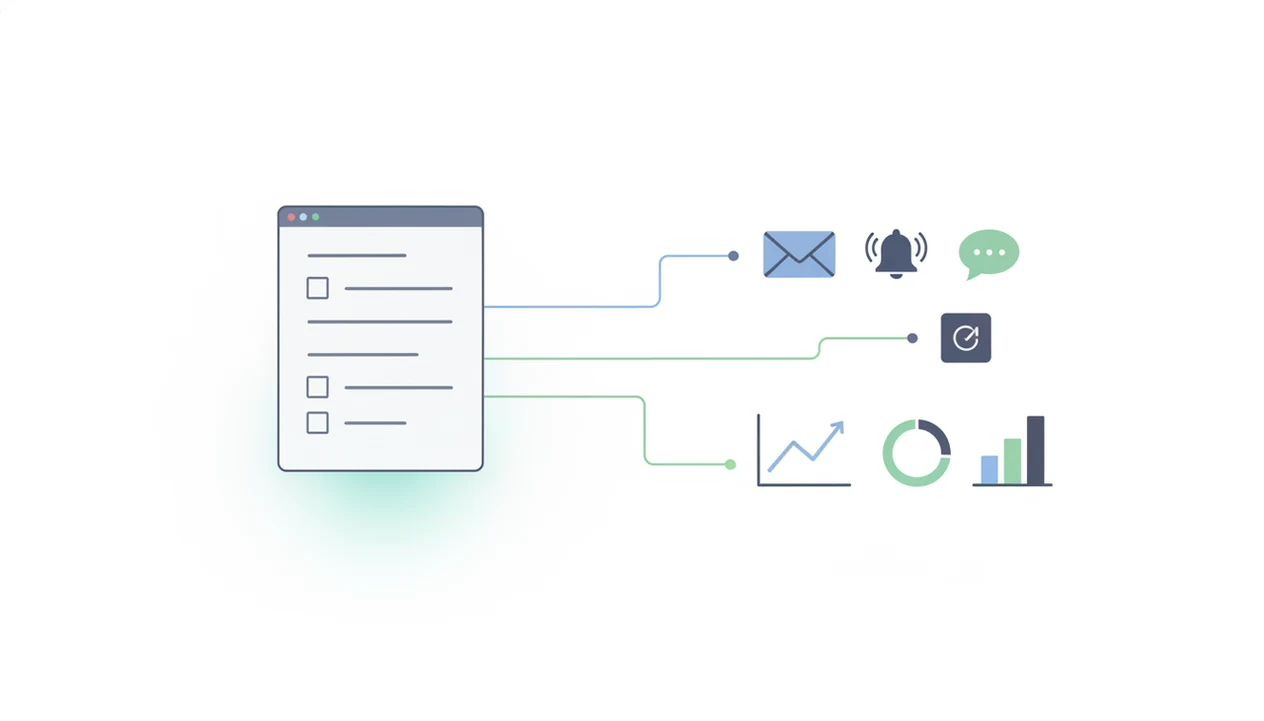

Definition: Form notifications are configurable alerts (email, Slack, webhooks) triggered by each submission, while form analytics is the dashboard layer that tracks views, completions, drop-off, and response trends so you can measure and improve form performance.
At A Glance: Form Notifications And Analytics In Forms AI
- Form response alerts can go to email, Slack, or webhooks. That matters when a customer email is typed between walk-ins and someone needs to reply before the buyer cools off.
- The analytics dashboard tracks views, completions, drop-off, and device split. Those numbers show whether people finish the form or disappear at “Preferred appointment time.”
- Alerts and analytics stay in one screen. You do not need a marketplace add-on just to see whether submissions arrived.
- Submission tracking fits small operational teams. Small businesses, teachers, event organizers, and nonprofits can check responses without building a spreadsheet workflow first.
- AI Form Builder workflows work better when publishing is not the finish line. The response list becomes a place to act, not just a storage bin.
Small business owners who need lead alerts before the next phone call benefit when email and Slack notification channels sit beside the response dashboard.
What Form Notifications And Analytics Do
Form notifications and analytics turn each form submission into something your team can see, route, store, and improve from. They cover the handoff after someone clicks submit: who gets alerted, where the response lives, and what the performance data says.
Alerts belong to form response alerts because they notify a person or channel when a new answer arrives. Dashboards belong to form analytics because they summarize views, completions, drop-off, devices, and sources. Routing rules and response storage support submission tracking: rules decide where a response should go, while storage keeps the original record available for review, export, or follow-up. Analytics events are the small actions behind the report, such as a view, field interaction, submit, or abandon.
- Use alerts when speed matters most, such as sales leads, urgent support, registrations, or parent messages.
- Use dashboards when reporting matters, such as weekly campaign performance or event turnout.
- Use routing rules when different answers need different owners.
- Use analytics events when optimization matters, especially shortening fields that cause drop-off.
Forms AI combines those pieces in one workflow, but it does not replace CRM ownership, sales accountability, support queues, or the human decision to follow up.
How Form Response Alerts And Submission Tracking Work
Form response alerts work by storing the submission first, then sending notifications and updating analytics from the same event trail. That storage-first flow protects the response if an email queue, Slack workspace, or webhook endpoint has a bad minute.
Data Flow: Submission To Alert To Dashboard
When someone taps submit, the response hits the primary data store first, usually a sheet-style response table or database. Then the notification engine checks routing rules, such as “send enterprise leads to sales” or “send volunteer questions to the coordinator.” The analytics pipeline records events like page view, field focus, submit, and abandon, then rolls them into dashboard metrics.
Good AI form builder apps deliver fast form creation and visible follow-up data, not a maze of add-ons that only an operations analyst can maintain.
Resilient Storage Before Notification Dispatch
If a channel fails, the submission should remain saved and the notification should retry where possible. That is the quiet part users only notice during a deadline. A teacher should not lose quiz responses because Slack had a hiccup.
A storage-first setup protects submission tracking because the response list stays intact even when delivery channels need another attempt.
When To Use Form Notifications Versus Analytics Dashboards
Use notifications when one response needs fast action; use analytics when many responses need pattern review. A sales lead, support ticket, scholarship intake, or event signup may need a same-day alert, while a weekly drop-off trend needs a dashboard.
Stat callout: Gartner has reported that event-triggered marketing can outperform batch campaigns when messages respond to customer actions; cite the Gartner source inline: https://www.gartner.com/en/marketing/insights.
After a webinar, when a campaign poll starts pulling in warm leads, a high-value answer can trigger a Slack alert while the dashboard keeps the monthly conversion report visible.
Analytics is better for slower questions: which traffic source converts, which field causes exits, and whether an A/B field test made the form easier. For most teams, form response alerts handle urgency, while form analytics explains what to improve next.
The folding chairs are stacked. The survey still matters.
How To Set Up Form Notifications And Analytics In Forms AI
Set up form notifications and analytics by publishing the form, adding alert channels, then checking the first few submissions against the dashboard. Do the setup before sharing the link widely, especially for registrations, lead capture, and intake forms.
- Publish your form from the Forms AI editor after previewing required fields and confirmation text.
- Open the Notifications panel and add email, Slack, or webhook channels for new submissions.
- Set conditional rules so high-value leads, urgent requests, or specific “Volunteer shift” choices route to the right person.
- Enable the analytics dashboard and review baseline metrics such as views, completions, and average time to complete.
- Review first submissions to confirm alert delivery and dashboard accuracy before the link goes public.
- Iterate after real responses by rewriting drop-off fields and adjusting notification routing.
If the priority is a fast mobile setup, you can build, preview, share, and monitor a form without leaving the editor. For question drafts before setup, the AI form generator app guide shows how to start with a template, then tweak.
What Form Analytics Looks Like Inside Forms AI
Form analytics inside Forms AI shows the numbers a form owner needs first: total views, unique visitors, completion rate, average time to complete, field-level drop-off, device, browser, and traffic source. It is meant for quick decisions, not a full business intelligence project.
Stat callout: McKinsey’s 2021 personalization research found that 78% of consumers were more likely to make repeat purchases from companies that personalize digital experiences: https://www.mckinsey.com/capabilities/growth-marketing-and-sales/our-insights/the-value-of-getting-personalization-right-or-wrong-is-multiplying.
Field-Level Drop-Off And Completion Funnel
The completion funnel shows where visitors started, where they continued, and which question lost them. If “Company budget” creates a visible dip, you can move it later, make it optional, or explain why it is needed. Simple fix. Real impact.
Device And Traffic Source Breakdown
Device and browser breakdown helps you catch mobile problems, such as a long dropdown that feels fine on desktop but clumsy on a phone. Traffic source attribution separates direct visits, social posts, and email campaigns, so a waitlist link in a launch post can be judged against actual completions.
Form Analytics App: Forms AI Versus Alternative Tools
A form analytics app should match the team’s tolerance for setup. Forms AI keeps notifications and analytics near the form builder, while alternatives can require add-ons, separate scripts, or heavier reporting tools.
| Option | Notification setup | Analytics depth | Best fit | Trade-off |
|---|---|---|---|---|
| Forms AI | Built-in email, Slack, and webhook alerts | Views, completions, drop-off, device, source | Non-technical teams that need one workflow | Less specialized than heatmap-only analytics suites |
| Google Forms plus add-ons | Often depends on marketplace extensions | Basic native summaries with add-on gaps | Existing Google Workspace users | Add-ons can add complexity and permission concerns |
| Typeform, Jotform, Wufoo, or Tally | Varies by plan and integration | Useful reporting, different limits by product | Teams already standardized on those tools | Feature depth often depends on pricing tier |
| Mouseflow or VWO | Separate from the form builder | Strong heatmaps and experiments | Growth teams running deeper tests | More setup than most small teams want |
Per Pew Research Center in 2023, 80% of U.S. adults said companies collect data about them at least some of the time: https://www.pewresearch.org/internet/2023/10/18/how-americans-view-data-privacy/. Transparent analytics labels, short forms, and clear follow-up expectations help build trust.
Event organizers can check RSVP counts, device split, and alert history without opening a second analytics product. The drag and drop form builder app workflow helps when RSVP fields need a fast edit.
Post-Submit Workflows: Beyond The Form Response Alert
A form response alert is the first event in the workflow, not the completed job. After the alert, someone may need to claim ownership, update a CRM, send an autoresponder, assign a status, or reply before a service-level deadline.
Stat callout: McKinsey has reported that advanced customer-experience analytics and automation can lift customer satisfaction and revenue when applied across journeys; cite the source inline: https://www.mckinsey.com/capabilities/growth-marketing-and-sales/our-insights.
AI-Assisted Submission Summaries And Priority Flags
AI-assisted follow-up can summarize long submissions, draft a first reply, or flag urgent responses based on plain-language rules. For example, a nonprofit intake form might flag “housing needed this week” before routine contact updates.
The common mistake is thinking, “once the notification is sent, the work is done.” It usually is not. For teams handling high-volume routing, the conditional logic form builder app explains how field answers can send different people down different paths.
Related Forms AI Features For Submission Tracking
Submission tracking works best when the form is clean before responses arrive. Forms AI pairs notifications and analytics with AI templates, a drag-and-drop editor, integrations for Slack, email, webhooks, and CRM handoffs, plus a shared response inbox for teams.
A teacher copying a quiz link into a class announcement five minutes before the bell does not need a reporting maze. They need the questions drafted, the link shared, and the response list easy to scan. The form templates app is useful when the starting point matters more than a blank canvas.
For shared ownership, Forms AI keeps alerts close to the response inbox so a duplicate email column can be deleted before export. Mundane, yes. Helpful, definitely.
Limitations
Form notifications and analytics are useful, but they do not remove every operational risk. Treat them as workflow controls, not a guarantee that every follow-up will happen on time.
- Notifications depend on delivery infrastructure, so email delays or Slack outages can slow alerts.
- Analytics accuracy drops when users block cookies, scripts, or tracking events through ad blockers and privacy browsers.
- Conditional routing rules can become hard to audit for large teams, and misconfigurations may send submissions to the wrong person.
- Field-level analytics shows where a user stopped, but not why they abandoned the form.
- Real-time dashboards may lag by seconds or minutes during heavy submission volume.
- Webhook integrations require technical knowledge, especially when authentication, payload format, or retry handling matters.
- Historical analytics only reflect data collected after tracking was enabled; views from last week cannot be reconstructed later.
- Standalone tools such as Mouseflow or VWO may offer deeper behavior analysis than Forms AI, but they add another setup layer.