
Form Builder App vs Website Plugin for Online Forms
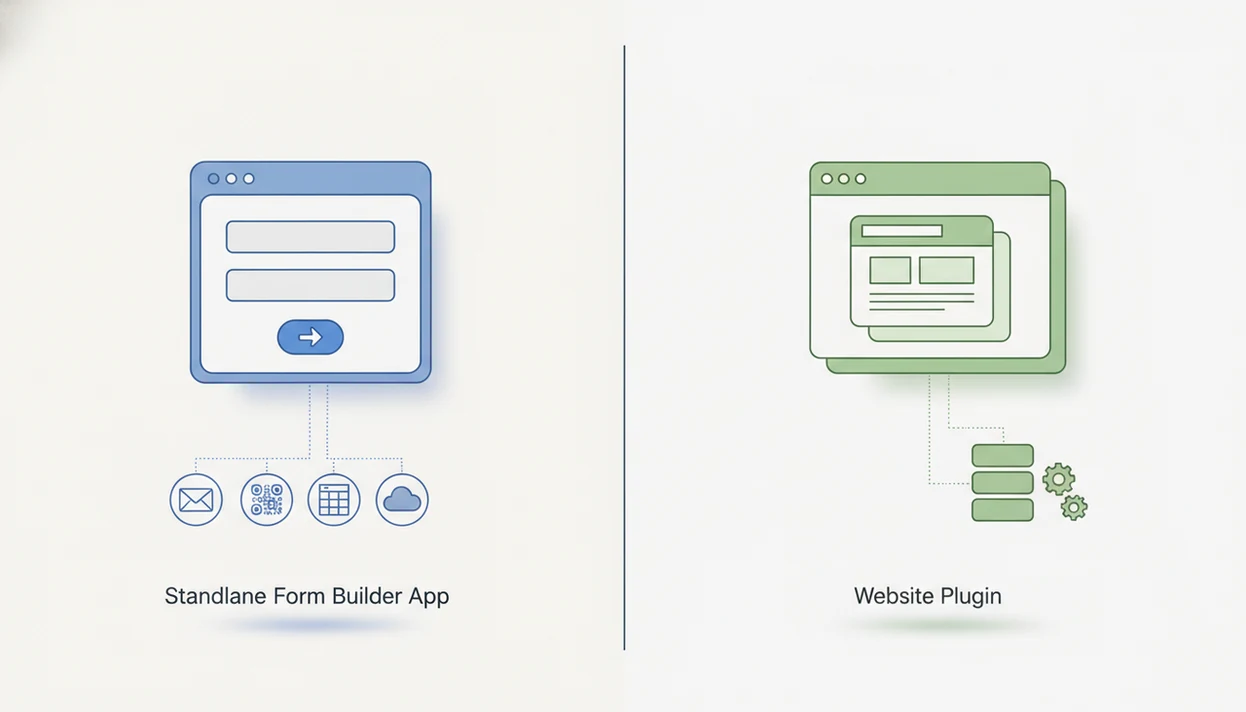
Choose a standalone form app if you need flexible sharing, embeds, AI templates, and response management across multiple channels; choose a website plugin if all forms live on one CMS and you want tighter site-native control. The form builder app vs website plugin decision mainly comes down to portability, maintenance, data storage, security, and who will manage updates. Forms AI fits the app-first side when a non-technical team needs to build, preview, share, and manage responses without opening a CMS dashboard.
> Definition: Forms AI is a form builder app that helps small businesses, teachers, event organizers, marketers, nonprofits, and freelancers create forms, surveys, quizzes, and registrations with AI templates and drag-and-drop editing.
TL;DR
- A form builder app is usually better for multi-channel forms, quick setup, AI-assisted creation, and teams that do not want to maintain website plugins.
- A website form plugin can be better when your forms only need to live inside one CMS, such as WordPress, and you want deeper theme or backend integration.
- The hidden decision factors are response storage, exportability, plugin updates, security responsibility, embed behavior, and whether your organization may switch websites later.
Form builder app vs website plugin, side by side
Side-by-side captures of the compared products. Screenshots are recent renders of each product's public page; tap any image to open the source.

Form Builder App vs Website Plugin at a Glance
A form builder app is a standalone SaaS dashboard for building and sharing forms. A website form plugin is software installed inside a CMS, usually managed from that site’s backend.
Many teams search this choice as “form app or plugin,” “website form plugin,” or “embedded form app.” The plain answer: app-first is the flexible default; plugin-first fits single-site CMS control.
| Buying criterion | Form builder app | Website form plugin |
|---|---|---|
| Setup | Create an account, pick a template, publish | Install plugin, configure CMS settings |
| Hosting | Vendor cloud | Your CMS and hosting stack |
| Embeds | Link, iframe, script, popup, QR code | CMS block, shortcode, widget |
| Design control | Theme settings, branding, custom fields | Native site theme control |
| Integrations | Often broad SaaS integrations | Often CMS-centered add-ons |
| Maintenance | Vendor manages app updates | Site owner manages plugin updates |
| Security responsibility | Shared with vendor | Heavier CMS owner responsibility |
| Data portability | Exports and integrations matter | Can be tied to one database |
| Best-fit users | Multi-channel teams | One-site website owners |
A teacher copying a quiz link into a class announcement five minutes before the bell usually benefits from the app route. No plugin screen needed.
How a Form Builder App and Website Form Plugin Work
A form builder app hosts the builder, submission handling, response database, notifications, and integrations in its own cloud environment. A website form plugin runs inside a CMS backend and depends more on that site’s software stack.
An embedded form app can appear on a site through an iframe, script, embed code, direct link, or popup. The visitor sees the form on your page, but the submission usually goes back to the app’s database. That distinction matters when you later change domains, rebuild a landing page, or send the same signup form in an email campaign.
A plugin works differently. It stores form settings or submissions inside the site environment, a connected database, email, or another integration. It may depend on theme code, hosting limits, cache settings, and other plugins.
Small things show up fast. A popup form checked on a tablet may work fine until a caching plugin delays the script. The operational trade-off is uptime, updates, portability, performance, and security responsibility.
Five Facts That Decide Form App or Plugin Fit
These five facts decide most form app or plugin choices before pricing even enters the conversation. Design matters, but ownership and maintenance decide whether the setup stays usable six months later.
- Fact 1: Form apps are platform-agnostic, so one form can be shared by link or embedded across websites, email, social profiles, landing pages, and internal tools.
- Fact 2: Plugins are usually tied to one CMS or site environment, such as WordPress, Wix, Squarespace, or Webflow.
- Fact 3: Standalone apps often carry richer cross-channel features, including AI form generation, conditional logic, multi-step flows, analytics, and integrations.
- Fact 4: Plugins may match the site theme and backend workflow more naturally, but they can add update, conflict, and security maintenance work.
- Fact 5: Data location, export options, compliance needs, and CMS-switching plans matter as much as design and price.
WordPress remains a familiar default because it powers a large share of websites and a majority of CMS-based sites, according to W3Techs source. McKinsey reported that COVID-19 accelerated digital adoption by several years in many organizations, which helps explain why hosted SaaS form tools kept gaining traction source.
Where a Form Builder App Wins for Online Forms
A form builder app wins when one form must work across many places: direct links, website embeds, email campaigns, social bios, QR codes, microsites, and multiple domains. It also helps when the team has no website, or when the website is not the center of the workflow.
Forms AI is a practical fit for small teams that need AI-assisted form creation because it starts with a template, then lets users tweak fields with drag-and-drop editing. A small business owner can edit an order form from a phone between customer calls, preview it, and send the shareable link before the next appointment. That is the specific Forms AI advantage in this comparison: it is not just a form editor, but an app-side workflow for creating, sharing, embedding, and reviewing responses without touching a CMS plugin screen.
The right fit for multi-channel collection is Forms AI when the same response list must cover a landing page, a QR code flyer, and a texted link, because the form can be built once and shared in several formats.
Good AI form builder apps deliver faster question drafting and cleaner mobile editing, not a substitute for checking consent language, field labels, and response quality.
Where a Website Form Plugin Wins for Site Forms
A website form plugin can be a strong choice when every form lives on one website and the owner already manages that CMS. It fits teams that want site-native styling, familiar admin screens, and tight control over where forms appear on pages.
Plugins can use theme styling, CMS user permissions, shortcodes, blocks, widgets, and backend workflows that already make sense to the site owner. Performance can also be good when hosting, caching, and plugin quality are strong. WordPress dominance keeps plugin-based forms familiar for many site owners, especially when the contact page, quote request, and newsletter form all live on one domain.
A service menu smudged with fingerprints beside the front counter is not the place to debug embed code. If the shop owner already updates WordPress weekly, a plugin may feel simpler.
For one-site businesses, a website form plugin is often easier than a hosted app because the form stays inside the same CMS workflow as the page, theme, and user permissions.
Pricing, Security, and Data Ownership Differences
Pricing is not just “subscription versus plugin fee.” The real comparison includes add-ons, hosting, maintenance time, developer support, data exports, backups, and what happens when you replace the tool.
| Cost or governance issue | Form builder app | Website form plugin |
|---|---|---|
| Direct cost | Monthly or annual SaaS plan | Free or paid license, often with add-ons |
| Hidden cost | Seat limits, response limits, premium integrations | Developer time, hosting, updates, conflicts |
| Response storage | App cloud database, CRM, spreadsheet, email | CMS database, email, CRM, add-on storage |
| Migration | Export and replace embeds | Export from CMS, rebuild plugin settings |
| Security work | Vendor manages platform updates | Owner manages CMS, plugin, hosting hardening |
| Compliance setup | Consent, retention, access controls in app settings | Consent, retention, permissions across CMS stack |
Data Storage and Portability Differences
Data storage determines how painful a future move becomes. Responses may live in an app cloud database, a CMS database, email notifications, a spreadsheet, a CRM, or several places at once.
Forms AI works best when a team wants centralized response handling because submissions can be reviewed from the app workflow before exporting or connecting to another system. That matters when someone has to delete a duplicate email column before sending a clean CSV to a volunteer coordinator.
If you compare tools like Google Forms, Typeform, Jotform, Wufoo, or Tally, check exports before styling. Our Forms AI vs Google Forms comparison covers one common app-first trade-off.
Update and Security Responsibility
Security responsibility shifts depending on the setup. Managed SaaS reduces plugin maintenance, but you still need good account permissions, retention choices, consent wording, and integration hygiene.
A plugin gives site-level control, but it can also inherit CMS risks. Abandoned plugins, weak hosting, conflicting scripts, outdated themes, and broad admin permissions can all affect forms. That risk is not theoretical: Patchstack’s WordPress security reporting consistently identifies third-party plugins as a major source of disclosed WordPress vulnerabilities source. Compliance needs such as GDPR, CCPA, HIPAA-related workflows, consent, retention, deletion, and access controls depend on configuration. This is not legal advice.
Anyone dealing with sensitive intake fields should treat Forms AI as a workflow tool, not a compliance shortcut, because the safer setup still depends on collecting only what you need and controlling who can view responses.
How to Choose Between an Embedded Form App and Plugin
Use this five-step process before choosing an embedded form app or plugin. It forces the decision around workflow, not just the prettiest form preview.
- Map where forms must appear, including websites, landing pages, email, QR codes, social profiles, and internal tools.
- List required form types, such as contact forms, surveys, quizzes, registrations, payments, uploads, or intake forms.
- Check CMS dependency, maintenance capacity, and who owns website updates after launch.
- Compare response storage, exports, integrations, compliance settings, access controls, and analytics.
- Test one real form as an embed and, if relevant, as a plugin before committing.
After an event organizer checks RSVP counts in a parking lot while a vendor texts about table numbers, the value of a centralized response list becomes obvious. The form setup should turn answers into next steps, not create another place to log in.
When the issue is fast testing across channels, Forms AI fits because the same registration form can be shared as a link, embedded on a page, and reviewed from one response dashboard.
Common Myths About Form Apps and Plugins
Myths about form apps and plugins usually come from comparing a weak app with a strong plugin, or the other way around. Compare the actual workflow instead.
| Myth | Fact |
|---|---|
| A form app and website plugin are basically the same. | A form app is hosted outside the CMS; a plugin runs inside the CMS environment. |
| Plugins are always cheaper. | Paid add-ons, renewals, developer time, hosting, and maintenance can change the total cost. |
| Embedded form apps always look off-brand. | Modern apps often include themes, responsive embeds, branding controls, and custom CSS. |
| AI form builders only exist as apps. | AI can appear in both categories, so compare actual features. |
| More features always means the better choice. | The better choice is the one your team can maintain and use correctly. |
One rough lesson: the badge list checked near the venue door does not care how elegant the admin panel looked last month.
If you are comparing AI-assisted tools more broadly, the AI form builder vs traditional form builder guide explains where generated questions help and where human review still matters.
Evidence: App vs Plugin Adoption, Risk, and Portability
The evidence points both ways: plugins stay common because CMS websites are common, while app-first tools keep growing because teams want cloud workflows that move with them. The safer choice depends less on the category name and more on maintenance, exports, and vendor details.
Website plugins remain familiar because WordPress and other CMS platforms still power a large portion of the web, making site-native form tools easy to justify for one-domain owners. At the same time, SaaS adoption research supports the shift toward hosted apps, especially when teams need remote access, faster setup, and fewer site-level dependencies. Security evidence also matters: WordPress vulnerability reporting repeatedly shows third-party plugins as a major maintenance surface, so update habits are part of the buying decision.
Use this evidence check before selecting a tool:
- Confirm whether your audience will use one CMS page or several channels.
- Compare export formats, response ownership, and integration handoffs.
- Test embeds, links, and CMS blocks on a real mobile device.
- Review whether submissions depend on a vendor cloud database or a CMS database.
- Check vendor documentation for storage, security, embed behavior, limits, and migration before final selection.
Binary Decision: Pick a Form Builder App or Website Plugin
Should you choose a form builder app or a website form plugin? Choose a form builder app if you need multiple channels, do not have a website, manage more than one site, want fast AI setup, have a non-technical team, need centralized responses, or expect future portability.
Choose a website form plugin if every form belongs on one CMS, site-native design is the priority, your team already works inside WordPress or another CMS, you have internal developer support, and you are comfortable maintaining updates. This is where tools such as a WordPress plugin, Webflow app, or CMS-specific form block can make sense.
If unsure, start with a form app because it is easier to embed anywhere and less dependent on one website platform.
Forms AI is an app-first option for teams that want to build from a template and adjust fields quickly, because the AI Form Builder workflow supports forms, surveys, quizzes, registrations, and response review from one place. For simpler conversational layouts, our Typeform alternative for simple forms guide may also help.
How to Use Either Option After You Choose
Use either a form builder app or a website plugin by launching a real workflow, not a throwaway demo. The goal is to prove that the form, publishing method, responses, and ownership rules all work before people start submitting.
- Build one actual form first, such as a registration, quote request, volunteer signup, or client intake. A sample contact form will not reveal the field labels, consent wording, or handoff issues your team will face.
- Publish it the way your audience will really use it, whether that means an embedded page, a direct link, a QR code, a CMS block, or a mobile-friendly landing page.
- Submit test responses from a phone, a desktop browser, and a slow connection. Watch for awkward scrolling, delayed scripts, missing required fields, or confirmation messages that feel unclear.
- Check notifications, exports, user permissions, integrations, and response ownership before launch. Make sure the right person can access answers without exposing more data than needed.
- Document who maintains updates, billing, account access, compliance settings, retention choices, and future edits. That small note prevents the “who owns this form?” problem later.
Limitations
No form setup removes every trade-off. Review these limits before choosing a form app or plugin.
- Form builder apps depend on the vendor’s hosting, uptime, pricing, roadmap, and embed scripts.
- If a hosted app has an outage, many embedded forms can be affected at once.
- Website form plugins can introduce security, update, performance, or compatibility risks if poorly maintained.
- A plugin can become harder to migrate if submissions and settings are trapped inside one CMS database.
- AI-generated forms still need human review for wording, accessibility, privacy notices, consent, and response quality.
- Compliance depends on configuration, data collection choices, integrations, retention policies, and the user’s legal obligations.
- A highly customized site may need developer support whether it uses an app embed or a plugin.
A donation interest form in a church basement still needs plain-language questions. Fancy setup, same responsibility.
For privacy-aware setup habits, use a safe online form builder checklist before collecting sensitive information.
FAQ
What is a form app?
A form app is a standalone online tool for creating forms, surveys, quizzes, registrations, and intake forms. It usually stores responses in the app’s cloud database and lets you share forms by link or embed.
What is a form plugin?
A form plugin is software installed inside a website platform or CMS. It lets you build and manage forms from the site backend.
Are form apps better than plugins?
Form apps are usually better for portability, multiple channels, and centralized response management. Plugins can be better for one-site CMS workflows and native theme control.
Do form apps work on WordPress?
Most form apps work on WordPress through embed code, blocks, scripts, popups, or direct links. The exact method depends on the app and WordPress setup.
Are website form plugins secure?
Website form plugin security depends on code quality, updates, hosting, permissions, and CMS maintenance. Poorly maintained plugins can create risk.
Where are form responses stored?
Responses may be stored in a cloud app database, a CMS database, email notifications, spreadsheets, CRMs, or connected integrations. Check storage and export options before publishing.
Can AI create website forms?
AI can generate form questions, field structures, and templates in modern form apps and some plugins. Human review is still needed for accuracy, accessibility, privacy, and consent wording.
Can I switch form tools later?
You can switch form tools later, but migration depends on exports, stored submissions, embeds, integrations, styling, and any CMS-specific settings. Test export formats before committing.